
People and memberships · 7 min read
Add, edit, merge, remove, or restore a person
Create and maintain people safely, combine duplicates, and understand 30-day recovery.
Add or edit a person
- Open People
Choose People in the main navigation and stay on Directory.
- Add a person
Choose Add person, enter a name and at least one email address, complete any fields shown during entry, and save.
- Edit an existing person
Select their row, update the name, addresses, tags, or custom fields, then choose Save changes.
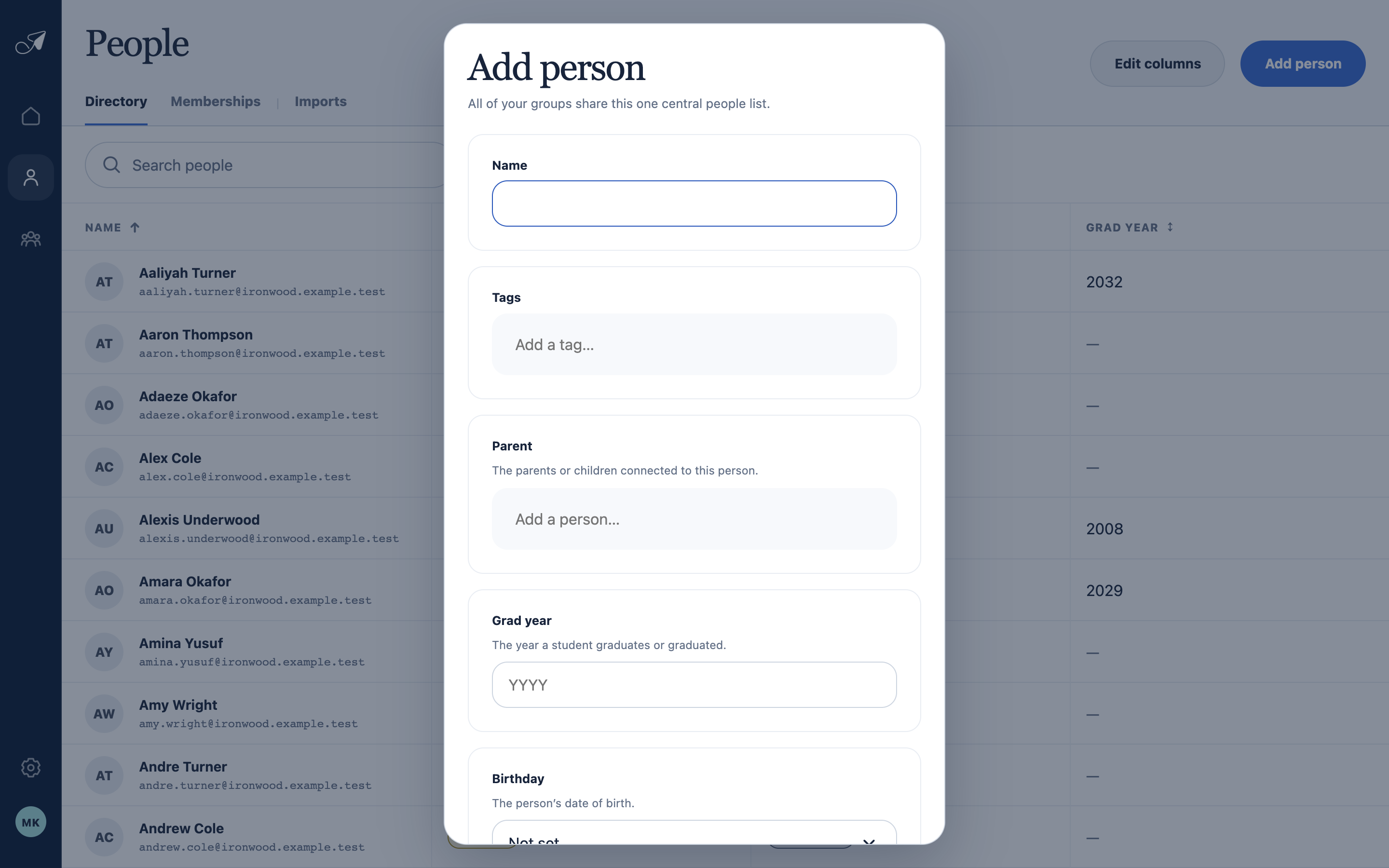
The Add person form uses the account’s configured fields and checks that the email address is available.
- 1Required person name
- 2Tags shown during entry
- 3Person relationship field
- 4Additional custom fields
Merge duplicate people
- Select the duplicate records
From the Directory, choose Select, check the records that represent the same person, and choose Merge.
- Choose the primary person
This record’s identity and primary email remain. Review the merged name, all active addresses, custom fields, relationships, and the union of group assignments.
- Review and confirm
Choose Save, read the final confirmation, then choose Merge people. The other records are retired and the operation cannot be directly undone.
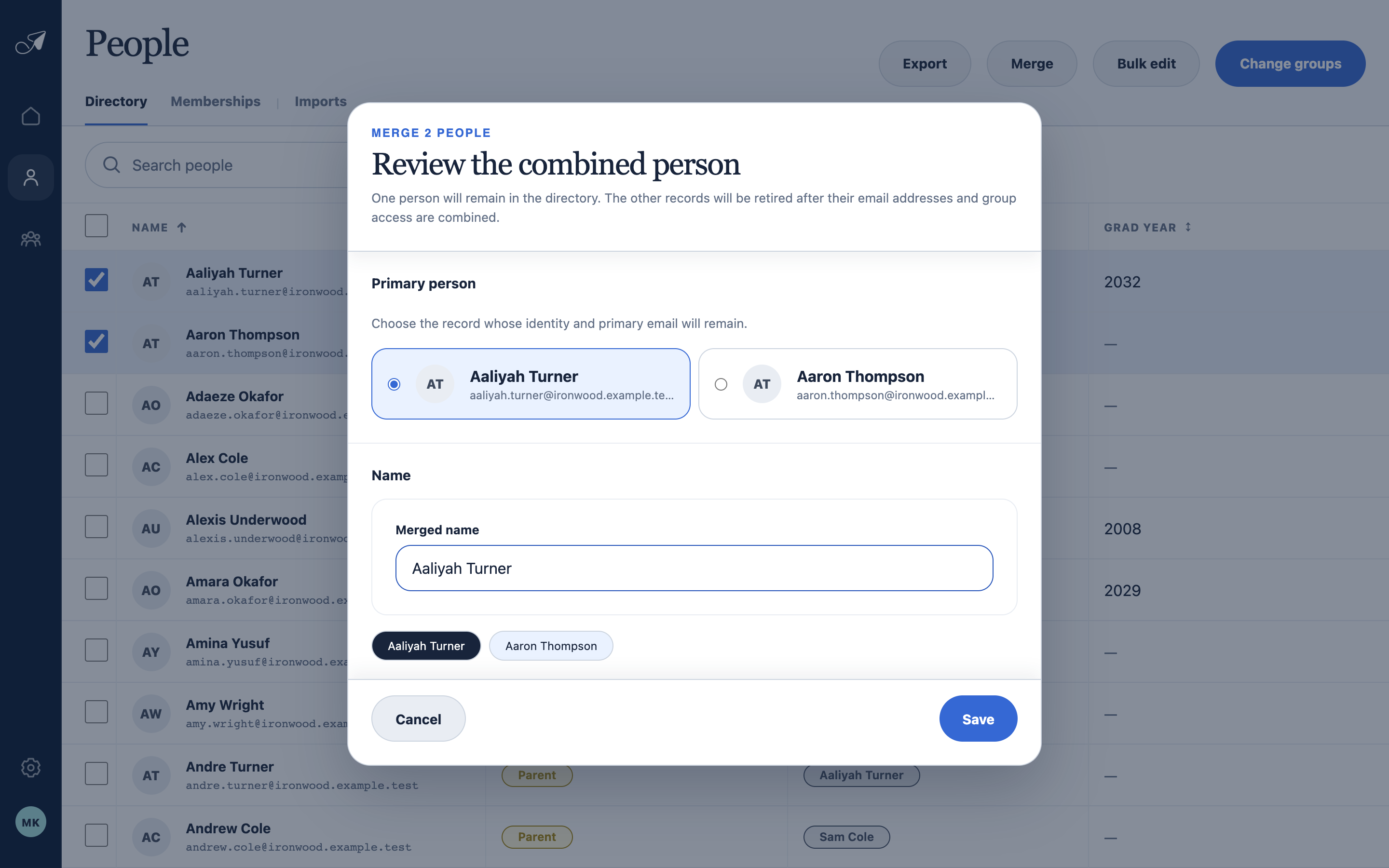
Choose the identity that should remain, then inspect the combined addresses and groups before confirming.
- 1Records being combined
- 2Primary person and primary address
- 3Name for the combined person
- 4Continue to final confirmation
Remove or restore a person
Open a person and choose Delete person to remove them from the active directory. TellTell disables their addresses, removes active group memberships, and retains the person for 30 days before permanent deletion.
If an Admin adds an address that belongs to a recently removed person, TellTell offers to restore the prior record and history or create a fresh person. Restoring does not reactivate former group memberships; add the person back only to the groups they should rejoin.