
People and memberships · 6 min read
Search, filter, and bulk-edit the People directory
Shape the People directory into a useful working view and update selected records safely.
Find the people you need
- Search
Enter a name or any attached email address in Search people. Results update as you type.
- Filter
Choose the filter button to narrow by displayed fields, tags, relationships, dates, groups, or people with no group memberships.
- Sort
Choose a column heading to sort the current result set. Choose it again to reverse the order.
- Edit columns
Choose Edit columns to show, hide, and arrange the identity, field, relationship, date, and group columns useful to your workflow.
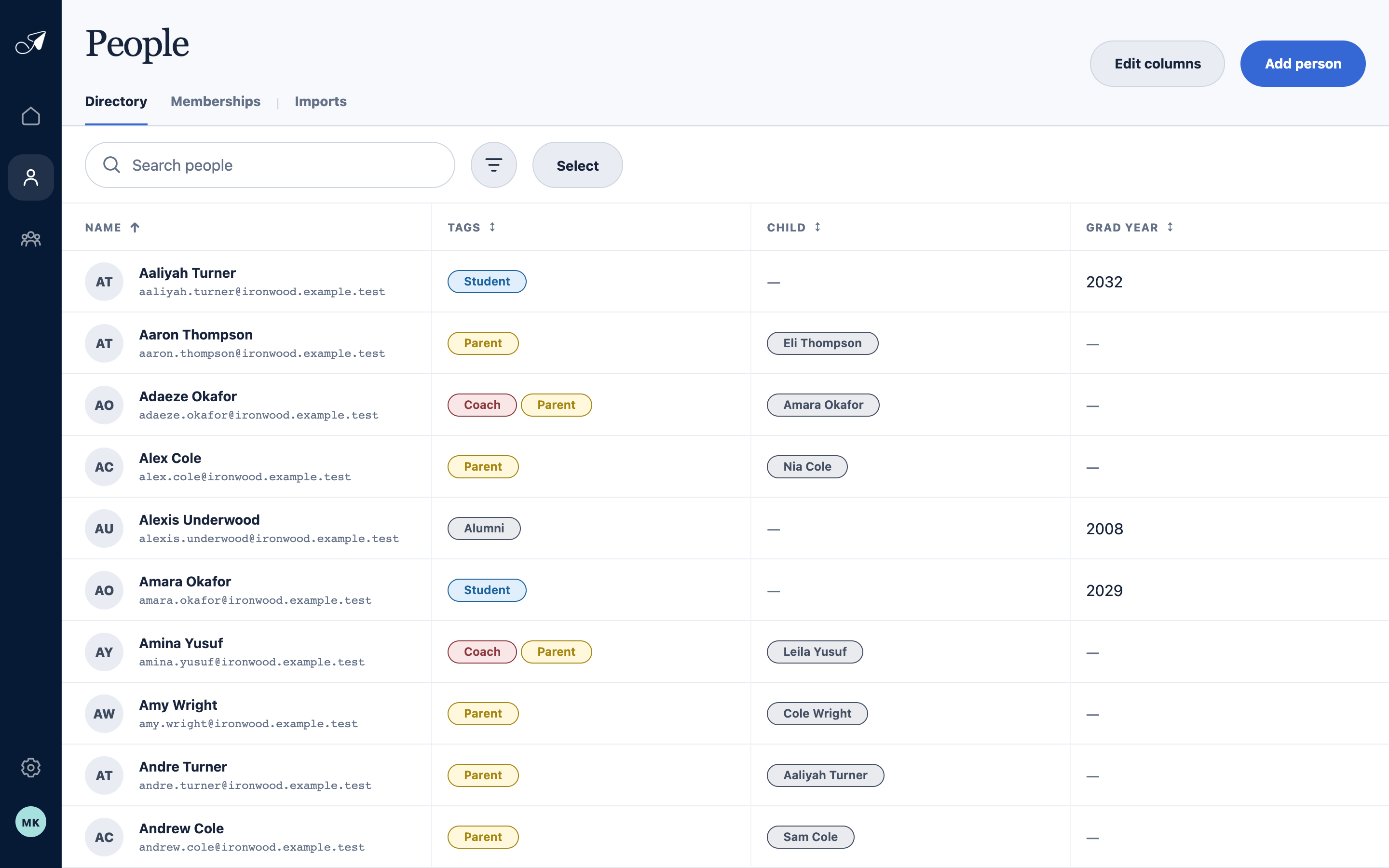
Search and filter narrow the rows; columns control which account fields remain visible while you work.
- 1Edit visible columns
- 2Search names and addresses
- 3Open filters
- 4Enter selection mode
Take action on several people
Choose Select, check the people you want, then use the actions at the top of the directory.
- Export requests a CSV for the selected people and chosen fields.
- Merge combines records that represent the same person. Review carefully because the merge cannot be directly undone.
- Bulk edit adds to existing Tags or multi-select values, or replaces one supported field for every selected person.
- Change groups adds or removes the selected people across one or more groups.