
Account access and billing · 7 min read
Invite, update, or remove account users
Invite a directory person, assign a role, manage pending invitations, and remove access safely.
Invite an account user
- Open Settings, then Users
Only an Admin can add or change account users.
- Choose Add user
Select an existing person from the account directory, or create a new directory person as part of the invitation.
- Choose the role
Select Admin for account-wide authority or Manager for team-scoped access. Every Manager needs at least one team.
- Save the invitation
TellTell sends a role-specific invitation to the selected address. The invited person must sign in with the matching verified identity.
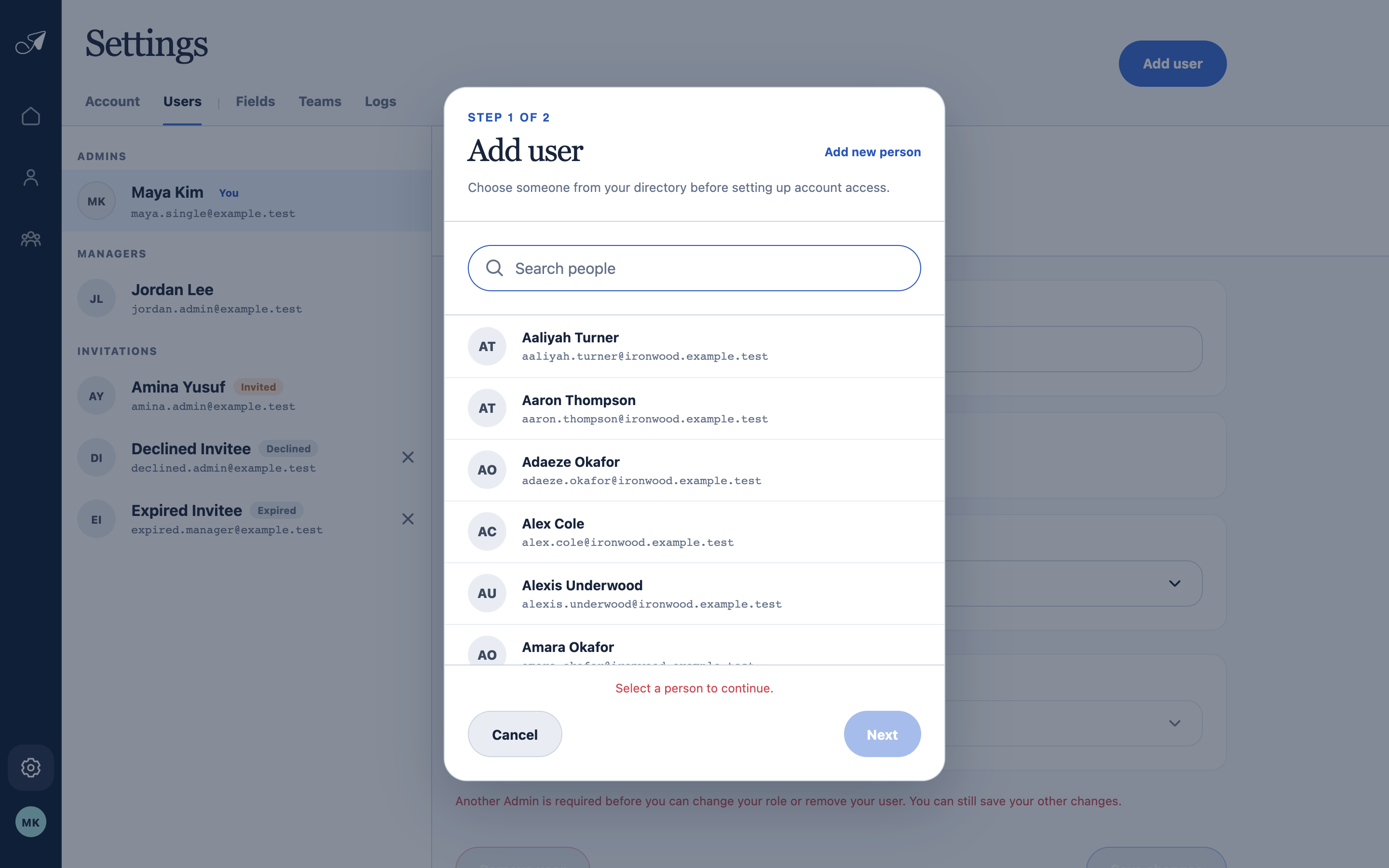
Account access begins with one canonical person from the People directory.
- 1Two-step invitation
- 2Use or create a person
- 3Search the directory
- 4Choose the invitee
Change access or handle an invitation
- Select an active user to change Admin or Manager access and, for Managers, the assigned teams.
- Select a pending invitation to change its access, resend it, or cancel it.
- A declined invitation can be issued again. An expired invitation can be resent with a new usable invitation.
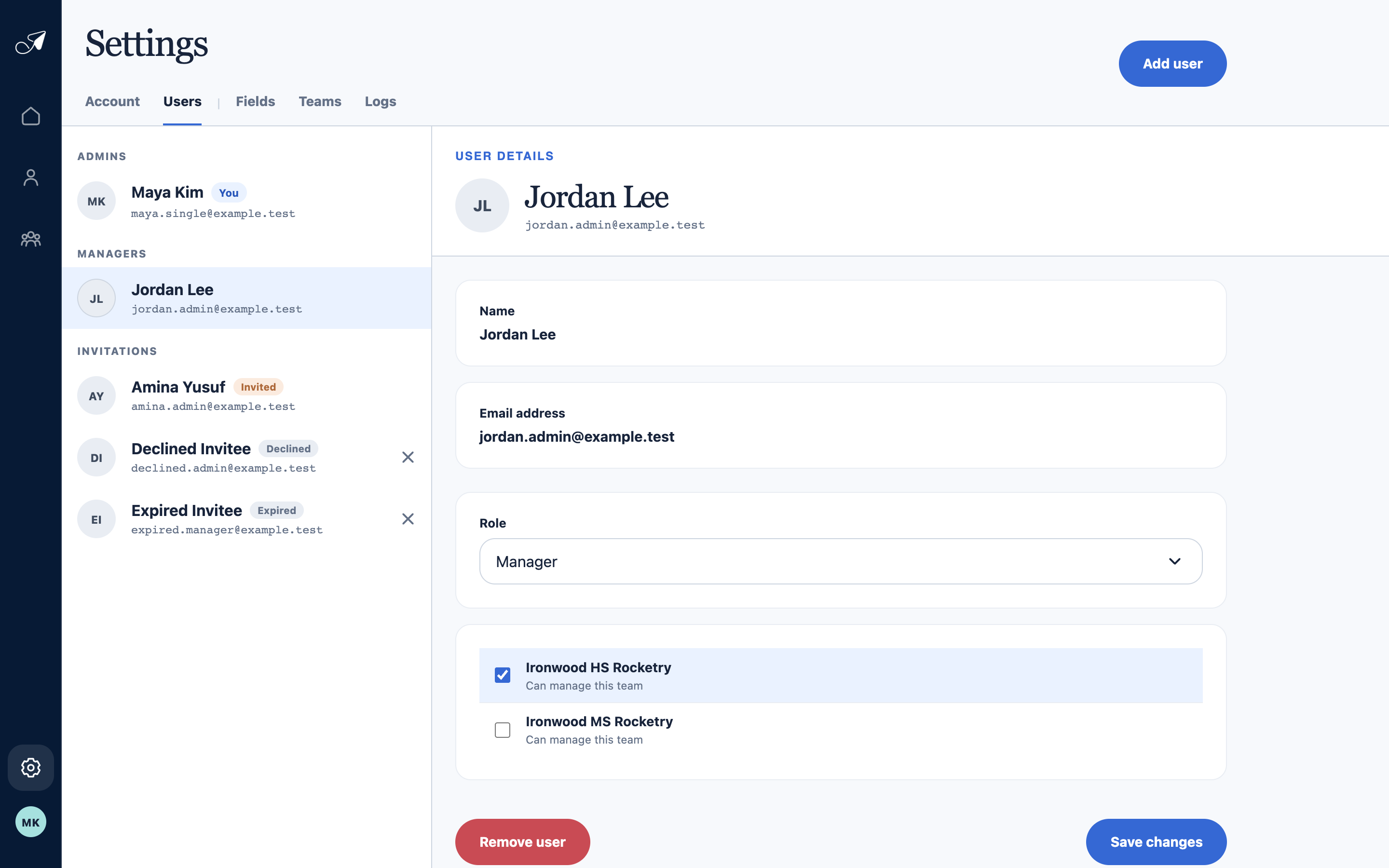
Managers receive explicit team assignments; Admins do not need a team list because their access is account-wide.
- 1Admins and Managers
- 2Selected user
- 3Manager role
- 4Assigned teams
Remove access without removing the person
Choose Remove user on an active user's detail page. They immediately lose account access, but the account's People record, email addresses, group memberships, suppressions, and history remain separate customer data.