
Start here · 5 min read
Send your first group message
Send from your normal inbox, use an allowed From address, and verify delivery.
Send from the inbox you already use
- Copy the group address
Open Groups, select the team and group, then use the copy button beside the group address.
- Compose in your email client
Paste the group address into To. Write and send the message as you normally would.
- Use an allowed From address
The visible From address must match the group’s sender policy. For member sending, use an eligible address on your person record. Restricted groups accept Admins, assigned team Managers, and the allowed people or addresses listed in group settings.
- Let TellTell route the message
TellTell authenticates the sender, resolves eligible members, removes duplicate addresses, adds the group footer, and sends separate deliveries.
Check what happened
Open the group’s Messages tab after sending. The list identifies each message by subject and sender and summarizes the eligible recipients, delivery outcomes, status, and sent time.
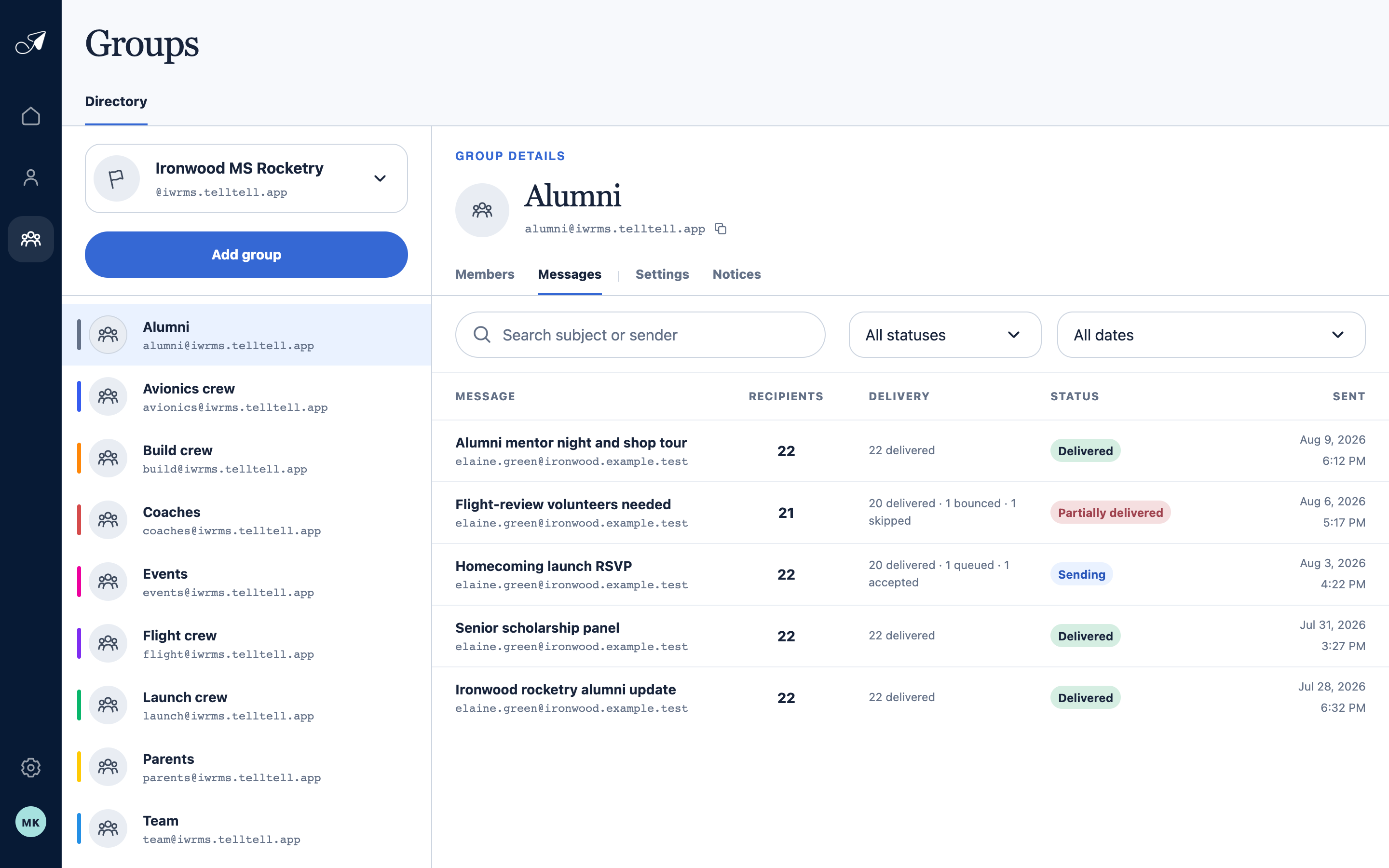
Message history reports operational outcomes without becoming a permanent message-body archive.
- 1Group address to use from your inbox
- 2Messages tab
- 3Search and status filters
- 4Recipient outcomes and status
- Delivered means the recipient’s provider accepted the delivery. It does not guarantee the message appears in the inbox rather than a filtered folder.
- Partially delivered means one or more recipients bounced, were skipped, or otherwise need attention.
- Sending means some recipient deliveries are still queued or accepted by the sending provider.
- Rejected means TellTell did not accept the group message. Open its details to see why and what to do next.
What happens when someone replies
The group’s reply setting controls whether replies return to the whole group, go to a specific email address, or are rejected. Check this setting before sending a message that asks members to respond.