
Imports, exports, and fields · 7 min read
Resolve import errors, conflicts, and removed people
Repair invalid rows, duplicate identity matches, overlapping updates, ambiguous groups, and removed-address choices.
Correct row-level errors
- Confirm the header row
If the file fails before a preview appears, the first row is probably a person or a title instead of headers. Add Name and at least one Email column as the first row, or start from a TellTell template.
- Filter to failures
Use Review failures to isolate rows TellTell cannot apply. The preview keeps the original CSV row number.
- Read the full reason
Typical problems include a missing name or email, an unknown or ambiguous group, an invalid typed field, or two different people matched by addresses on the same row.
- Correct the source CSV
Make the repair in the source file rather than trying to compensate with another overlapping row.
- Upload again
A new upload creates a fresh plan against the current directory. Recheck every update before confirming.
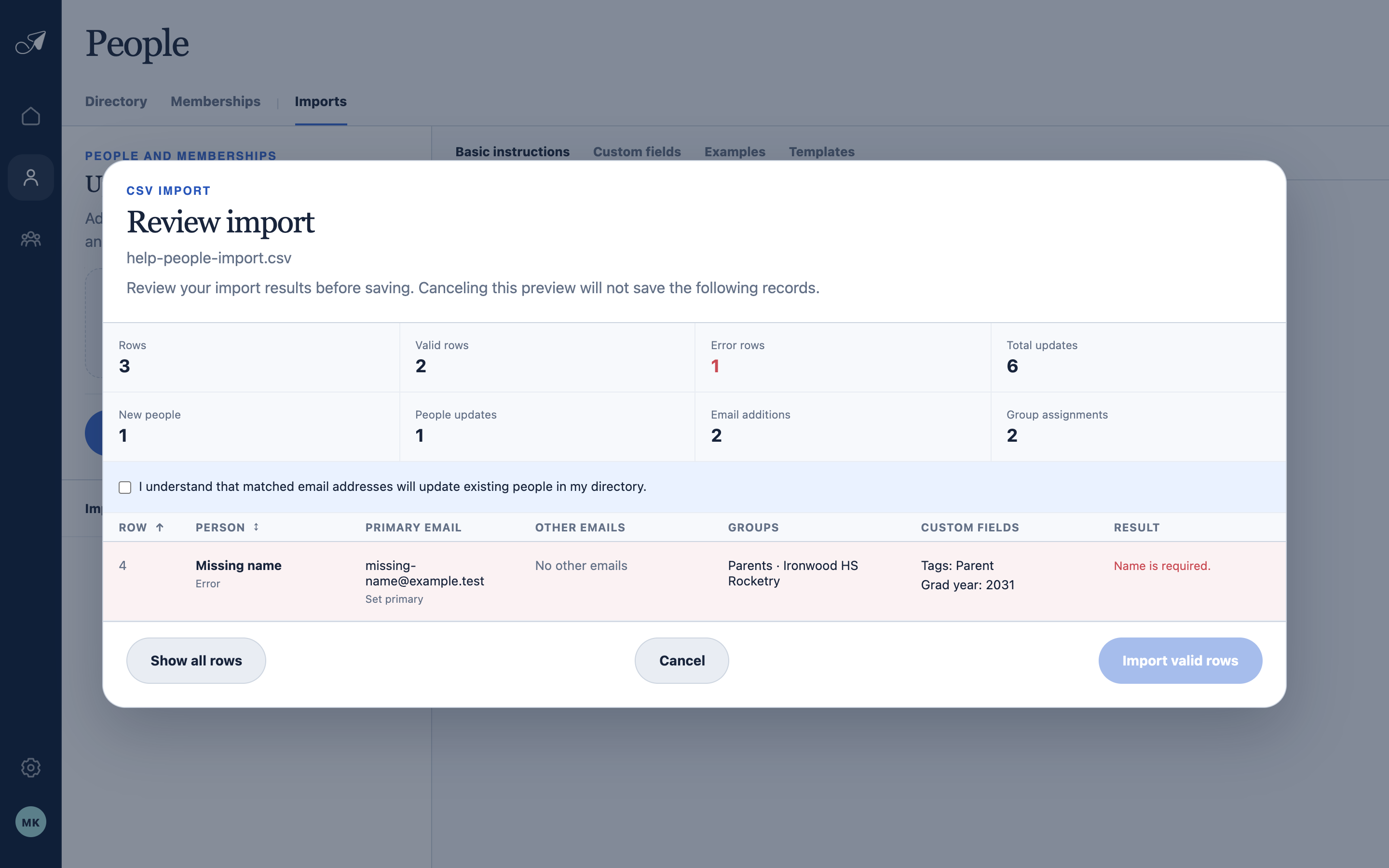
Filter to failures, correct the source row, and upload a new preview when an error needs repair.
- 1Error count
- 2Show all rows
- 3Source row number
- 4Actionable error
Resolve identity and overlap conflicts
- One active normalized email address can belong to only one person in an account.
- If addresses on one row match multiple people, merge or correct those People records before importing.
- If two CSV rows target the same existing person or overlap by email address, consolidate them into one row.
- Use the full group address or Team / Group path to disambiguate duplicate group names.
Handle recently removed people or addresses
When an import refers to recently removed identity data, TellTell presents one import-wide choice: restore all eligible matches, skip all of them, or cancel and revise the file. The single choice prevents row-by-row surprises in a large import.