
Teams and groups · 6 min read
Choose who can email a group
Allow members to post or restrict sending to organizers and explicit exceptions.
Choose who can email the group
- Any member, team managers, and admins allows every active address on a current group member plus the primary login address of account Admins and Managers assigned to this team.
- Restricted allows account Admins, assigned team Managers, and any additional people or individual email addresses you list.
Configure sender permission
- Open group Settings
Find Who can email this group? below the group identity fields.
- Choose the policy
Use the member policy for conversational groups. Use Restricted when only organizers or a controlled list should post.
- Add exceptions if Restricted
Add a person to allow all of their active addresses, or add one email when the sender is external or only one address should be allowed.
- Save changes
The new policy applies when TellTell evaluates subsequent incoming group messages.
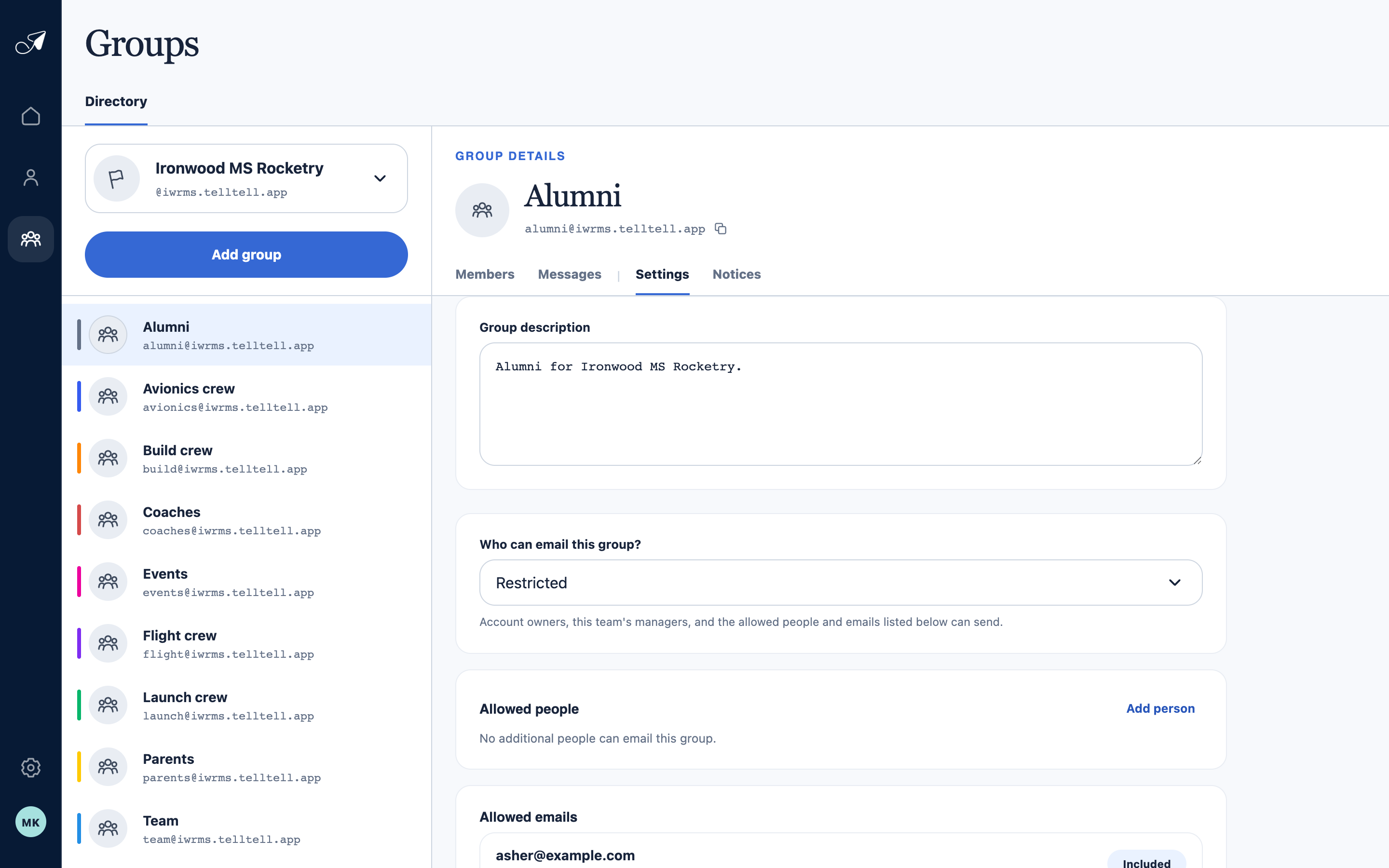
Restricted mode makes the standing organizers and any explicit exceptions visible before you save.
- 1Selected group
- 2Sender policy
- 3Add an allowed person
- 4Allowed email addresses
Tell senders which From address to use
TellTell evaluates the visible, authenticated From address. A person with several addresses must send from one that is allowed by the current policy. Forwarding through another account does not change this check.