
Account access and billing · 6 min read
Cancel or close an account
End billing and access, understand the 30-day retention window, and request restoration before deletion.
Know what Close account does
- Billing and normal product access end immediately. Closing is the customer action used to cancel TellTell service, including during a trial.
- Sessions and invitations are revoked, group mail stops, and managed domains are suspended.
- People, teams, groups, users, billing records, and history are retained for 30 days under the restorable closure policy.
- TellTell cancels the Stripe subscription without a refund or proration.
Close the account
- Open Account General
An Admin chooses Settings, Account, General, then Close account.
- Read the specific deadline
The confirmation shows the account name, permanent deletion date, and restoration instructions.
- Type Close
The final action remains disabled until the required confirmation text is entered.
- Save the closure notice
Linked Admins receive the account name, time-zone-qualified purge deadline, sign-in instructions, and support recovery address.
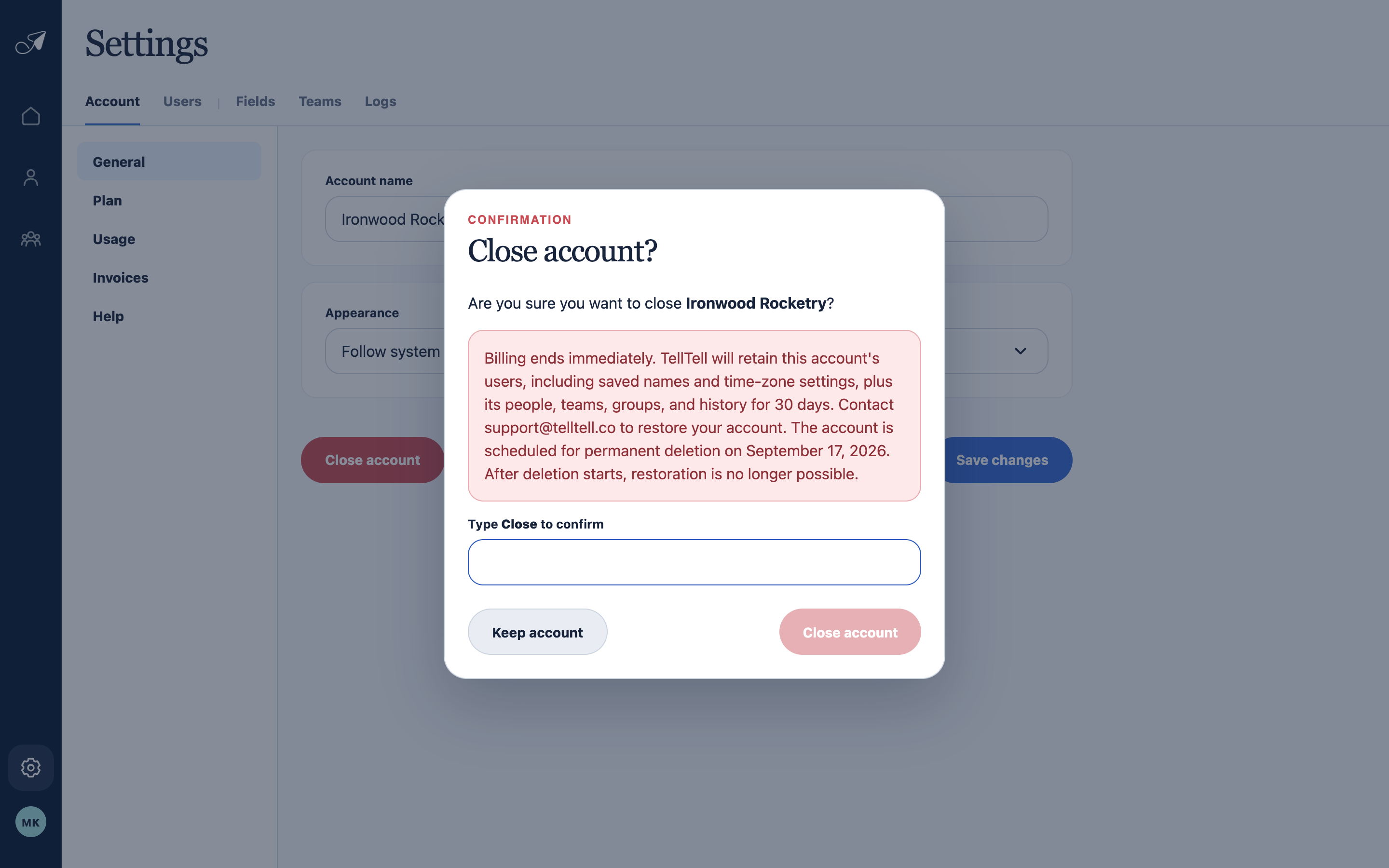
Read the account-specific deletion date before typing Close and ending service.
- 1Account being closed
- 2Retention and deletion warning
- 3Typed confirmation
- 4Final close action
Restore before permanent deletion
Contact support@telltell.co before the displayed deadline. Restoration is available only before purge starts and requires a still-linked Admin. A restored account keeps its original trial history and returns to plan selection without the old payment state.