
Start here · 4 min read
Welcome to TellTell
Understand accounts, teams, groups, people, and what members experience.
The idea in one minute
TellTell keeps the people behind your group email addresses organized. You manage the directory, groups, permissions, and delivery results in TellTell. Everyone keeps using the email client they already know.
- Organizers add people once, reuse them across groups, and choose who may send.
- Senders email a memorable group address from Gmail, Outlook, Apple Mail, or another normal client.
- Members receive and reply in their usual inbox. They do not need a TellTell account.
How your account is organized
One TellTell account contains your shared People directory and one or more teams. Each team contains groups with their own email addresses.
- Account
The home for your organization, billing, account users, shared People directory, teams, and activity.
- Team
A related program or administrative boundary, such as Ironwood High Rocketry. A team owns its managed TellTell subdomain and groups.
- Group
A set of people reached through one address, such as
parents@iwrhs.telltell.app. - Person
One directory record with one or more email addresses, custom fields, and memberships in any number of groups.
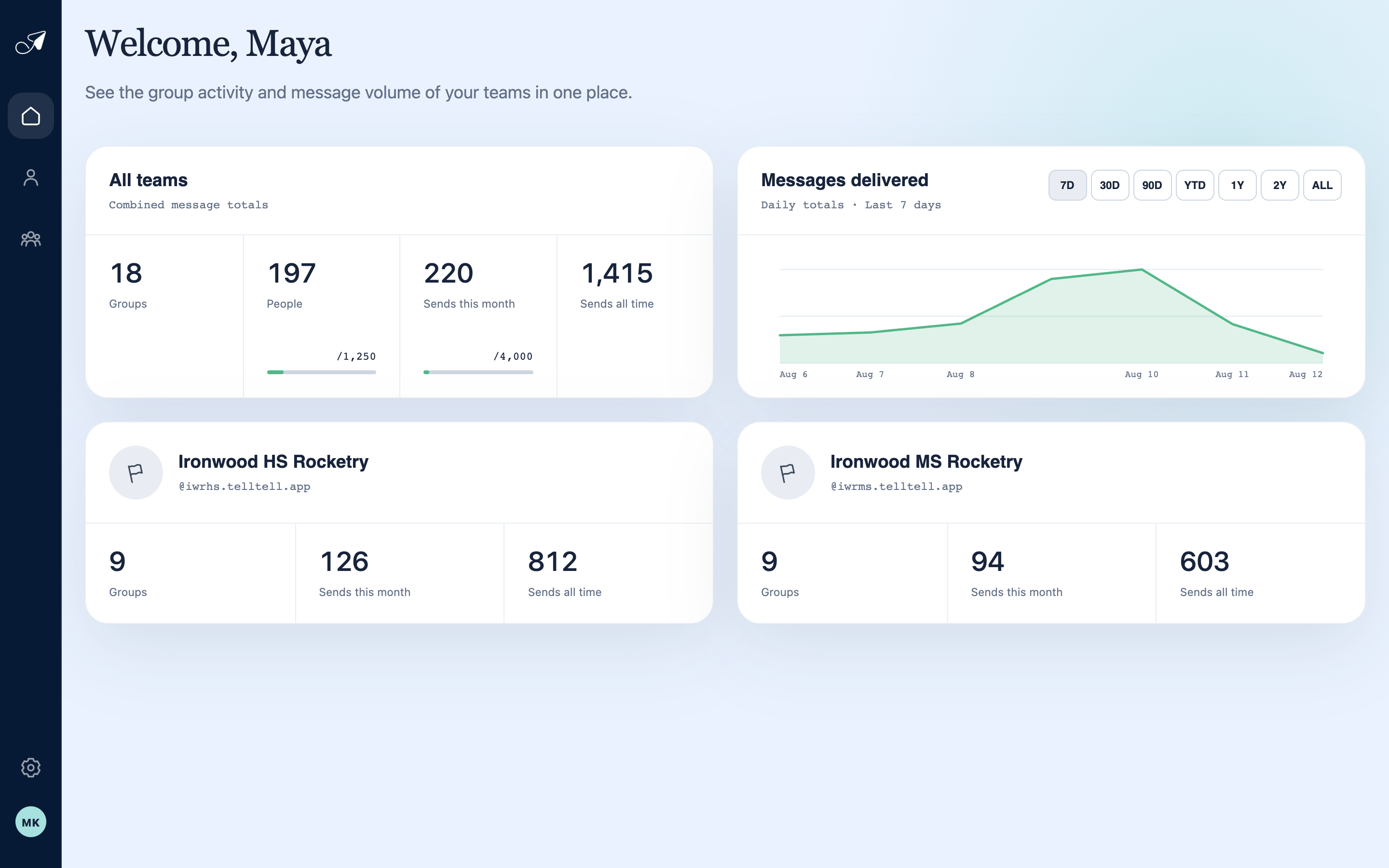
The dashboard moves from account-wide activity to the teams that share one People directory.
- 1Primary navigation
- 2Account-wide totals
- 3Message delivery trend
- 4A team in this account
What members experience
Most members never open TellTell. They receive ordinary email, can reply according to the group’s reply setting, and can unsubscribe using the link in a delivered message.
What TellTell keeps
TellTell keeps the operational information needed to identify a message and explain delivery, including its subject, sender, group, recipients, status, and provider outcomes. Message bodies and attachments are processed transiently and are not kept as a permanent mailbox or archive.