
Imports, exports, and fields · 6 min read
Preview and confirm an import
Distinguish creates, updates, errors, and warnings before applying valid roster rows.
Read the plan before applying it
- Create: no active TellTell address matches the row, so the row proposes a new person.
- Update: an active address matches one existing person, so the row proposes changes to that person.
- Error: the row cannot be applied. The row shows what must be corrected or resolved.
- Warning or review: the row is valid but needs attention, such as a freeform postal address or a missing required value allowed for an existing record.
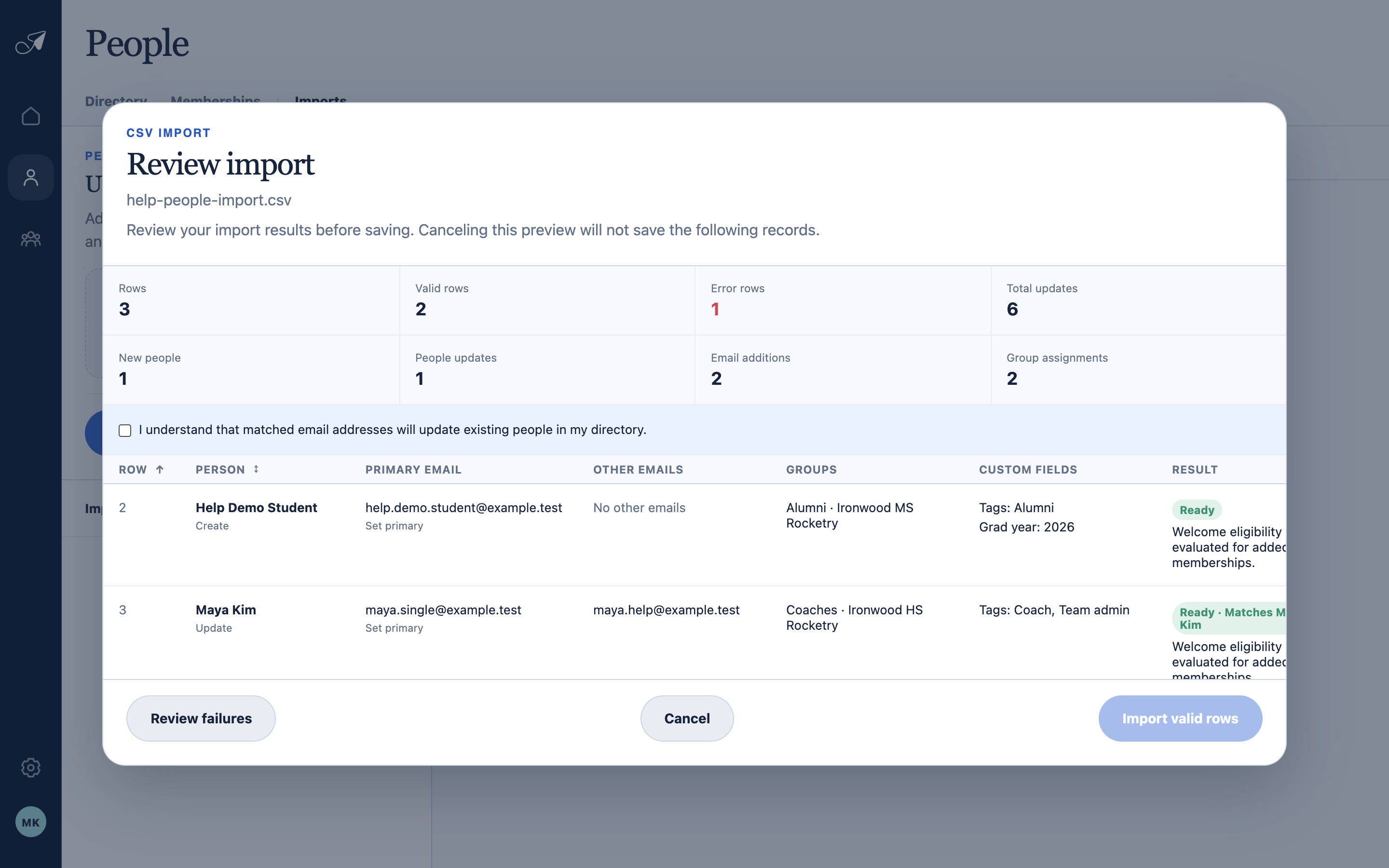
The preview is a proposed plan. Review creates, updates, memberships, warnings, and errors before anything is saved.
- 1Import totals
- 2Update acknowledgement
- 3Review failures
- 4Import valid rows
Understand an update
A matched row replaces the supplied name, can select a supplied primary address, appends new addresses, and adds or reactivates memberships. Blank mapped custom fields preserve current values. Omitted existing addresses and memberships are not removed.
Confirm valid rows
- Filter and spot-check
Review creates, updates, errors, and warnings separately. Open representative rows and confirm group resolution.
- Resolve import-wide choices
If recently removed addresses appear, choose the offered restore-all or skip-all behavior before applying the plan.
- Apply valid rows
When a preview mixes valid and invalid rows, an Admin may import only the valid rows. Invalid rows remain unapplied.
- Review the result
TellTell revalidates each row while saving and records the final outcome in Import history.