
People and memberships · 6 min read
Understand membership statuses and re-invite an address
Read group-level status summaries, inspect each address, and restore delivery by consent.
What each status means
- Normal means none of the person’s active addresses is unsubscribed from this group.
- Custom means the addresses differ: at least one is subscribed while another is unsubscribed or has a pending re-invitation.
- Unsubscribed means every active address on the person is unsubscribed from this group and none has a pending re-invitation.
- Re-invited means every active address has been sent a re-invitation that is still pending.
Inspect address-level status
Open the person’s Memberships view and select any Custom, Unsubscribed, or Re-invited status. The dialog lists every address as Subscribed, Unsubscribed, or Re-invited for that group.
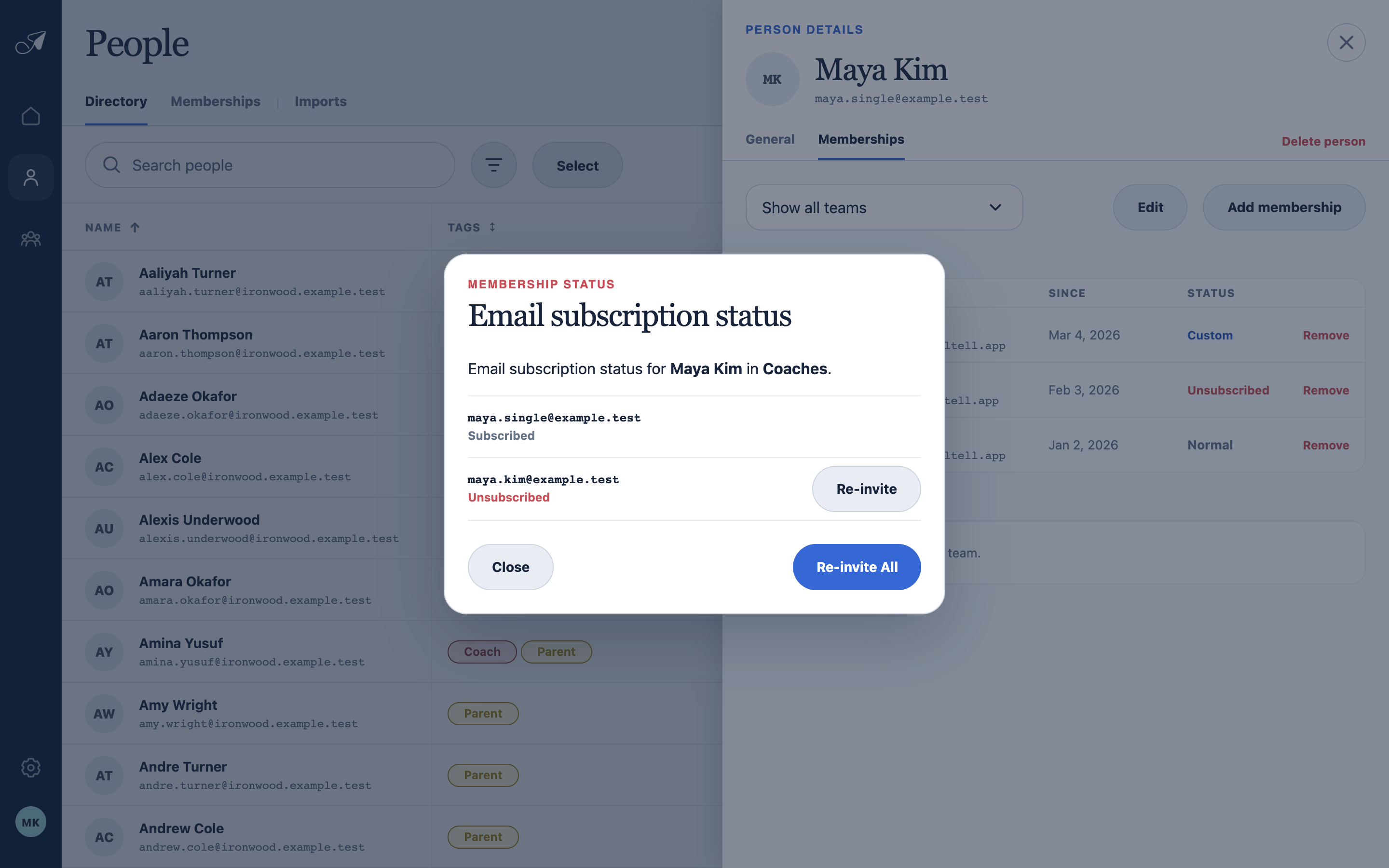
The group-level label summarizes address-level states; open it to see exactly which inbox needs attention.
- 1Person and group being reviewed
- 2Subscribed address
- 3Unsubscribed address
- 4Re-invite one or all addresses
Re-invite an unsubscribed address
- Choose the affected status
Open the address list from the person’s membership row.
- Choose Re-invite
Re-invite one address or choose Re-invite All for every unsubscribed address on this person in the group.
- Add an optional note
Review the required invitation copy and secure link, add a personal message if useful, and send.
- Wait for acceptance
The address remains unavailable for group delivery until its owner accepts the secure re-invitation. Use Resend only when the pending invitation needs to be sent again.