
Imports, exports, and fields · 8 min read
CSV headers, groups, and custom-field formats
Name identity, group, and custom-field columns and format each supported value type.
Identity, email, and group columns
NameorFull Namecontains the person's name.- Any header containing Email is treated as an email column. Use
Primary Emailto choose the primary address explicitly. - Any header containing Group is treated as a membership column. Multiple group columns may be numbered, and one cell may separate groups with semicolons or pipes.
- Use a full group address or
Team / Groupwhen two teams have groups with the same name.
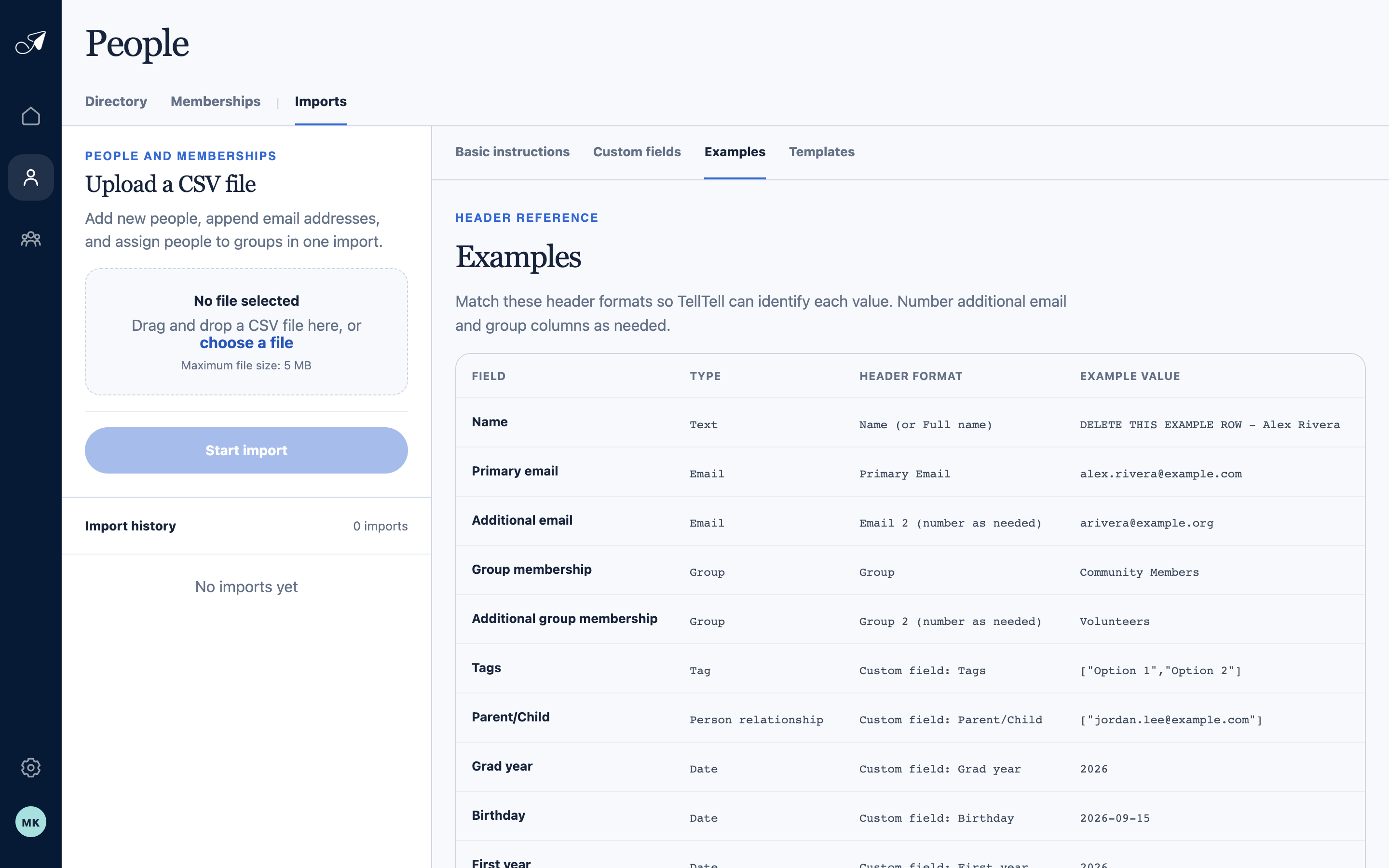
Use the Examples reference while naming columns so TellTell can recognize identity, email, group, and field values.
- 1Examples tab
- 2Supported field and data type
- 3Recognized header format
- 4Example value
Custom-field headers and values
Name a field column Custom field: Field name. The field name must match an active account field.
- Integer: a whole number. Boolean:
trueorfalse. Date:YYYY-MM-DDor a year when the field accepts year precision. - Single select: one current option label. Multi-select and Tags: a JSON array such as
"[""Coach"",""Team admin""]". - Relationship: a JSON array of related people's normalized primary email addresses.
- Phone: use international E.164 form when possible. Messaging handle: enter the handle as text.
- Postal address: use a full freeform address or a supported JSON object. Freeform addresses may be flagged for nonblocking review.
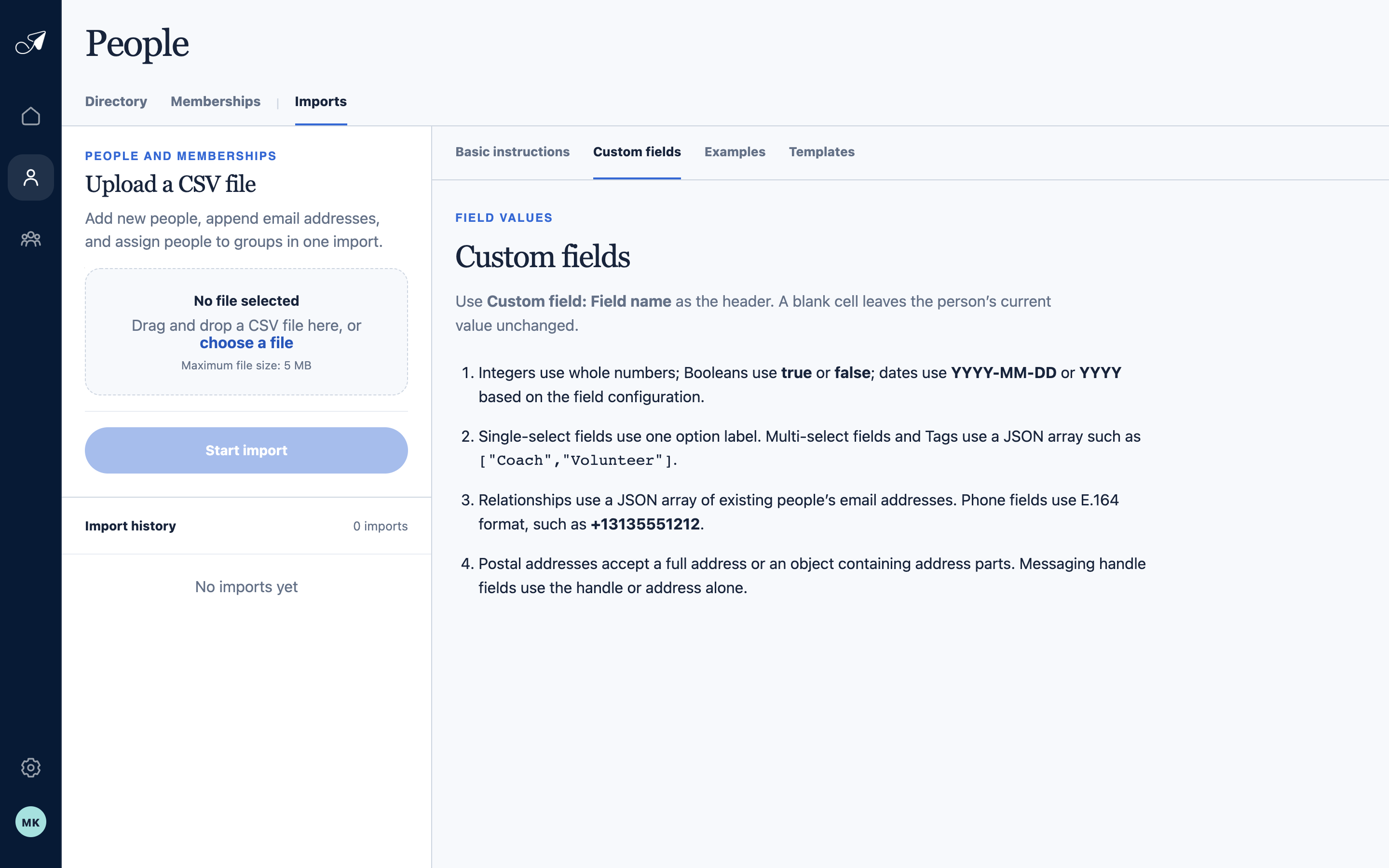
Custom-field columns use the field's current name and a type-specific value format.
- 1Custom fields tab
- 2Custom-field header format
- 3Scalar and select values
- 4Relationship, phone, and address values
Quote structured values correctly
JSON arrays and objects contain commas and quotation marks, so the CSV cell itself must be quoted and each interior quote doubled. A spreadsheet's CSV export normally does this for you.