
Account access and billing · 6 min read
View usage and change plans
Read each usage meter, choose a better-fitting plan, and understand immediate versus scheduled changes.
Review current usage
- Open Settings
Choose Account, then Usage.
- Compare every meter
Check current People, Monthly sends, Monthly data volume, and Teams against the selected plan.
- Look beyond today's mail
Before moving to a smaller plan, include seasonal roster growth, expected recipient deliveries, attachments, and expected team growth.
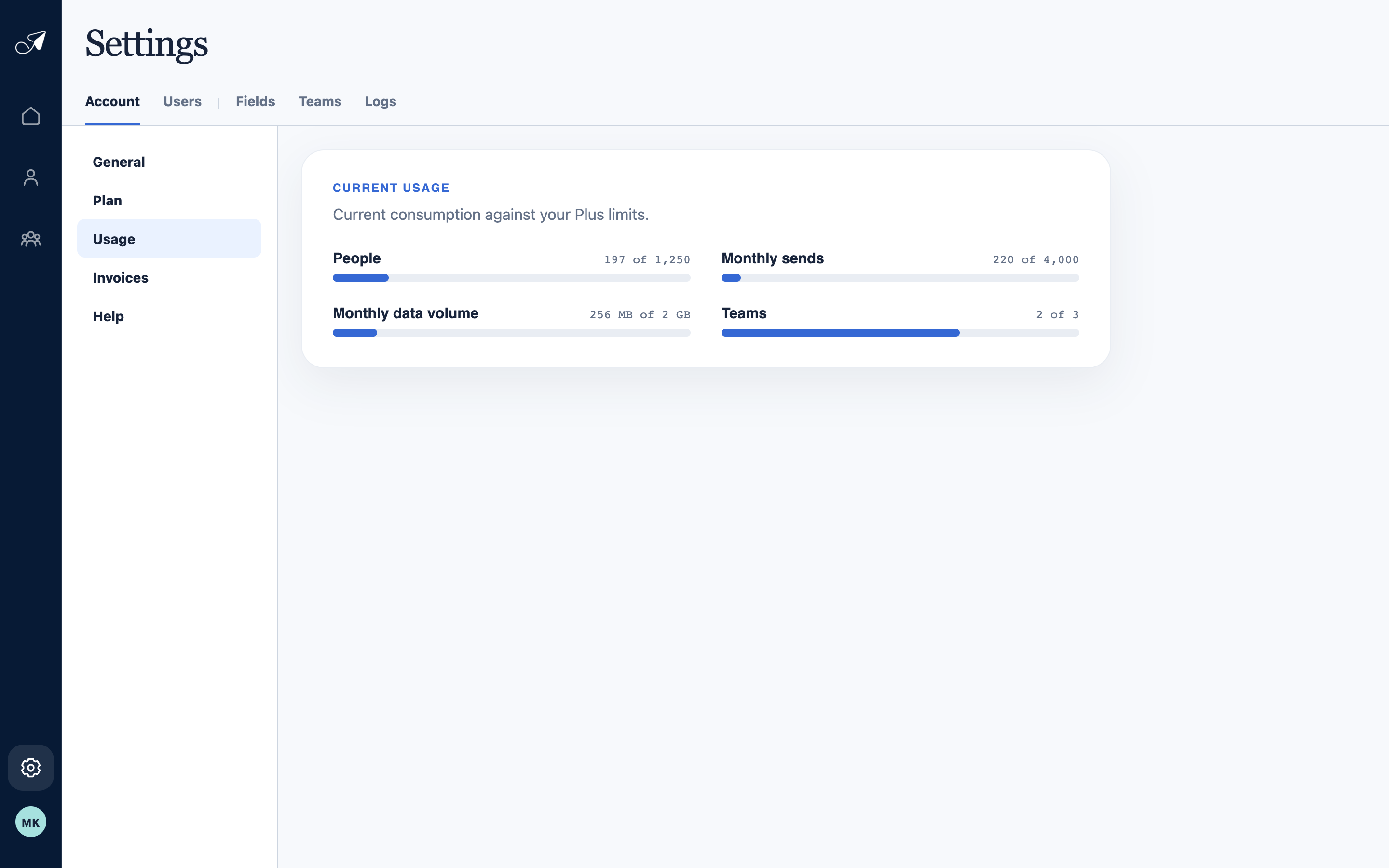
Usage compares the current account footprint and Eastern-calendar-month activity with the selected plan.
- 1Usage section
- 2People count
- 3Selected deliveries
- 4Data and team usage
Change the plan
- Open Plan
Choose Change plan and select Monthly or Yearly.
- Choose the new plan
TellTell checks the current account footprint before accepting a smaller plan.
- Confirm timing
A paid same-interval upgrade takes effect after successful prorated payment. Downgrades and interval changes are scheduled for the end of the current billing period.