
For group members · 5 min read
Why did I receive a TellTell message?
Understand how an organizer's People record, group membership, and eligible email addresses produced your copy.
Your address was selected for a group
An organizer placed a person record containing your email address in a TellTell group. When an allowed sender emailed that group's memorable address, TellTell selected each active, delivery-eligible member address and sent an individual copy.
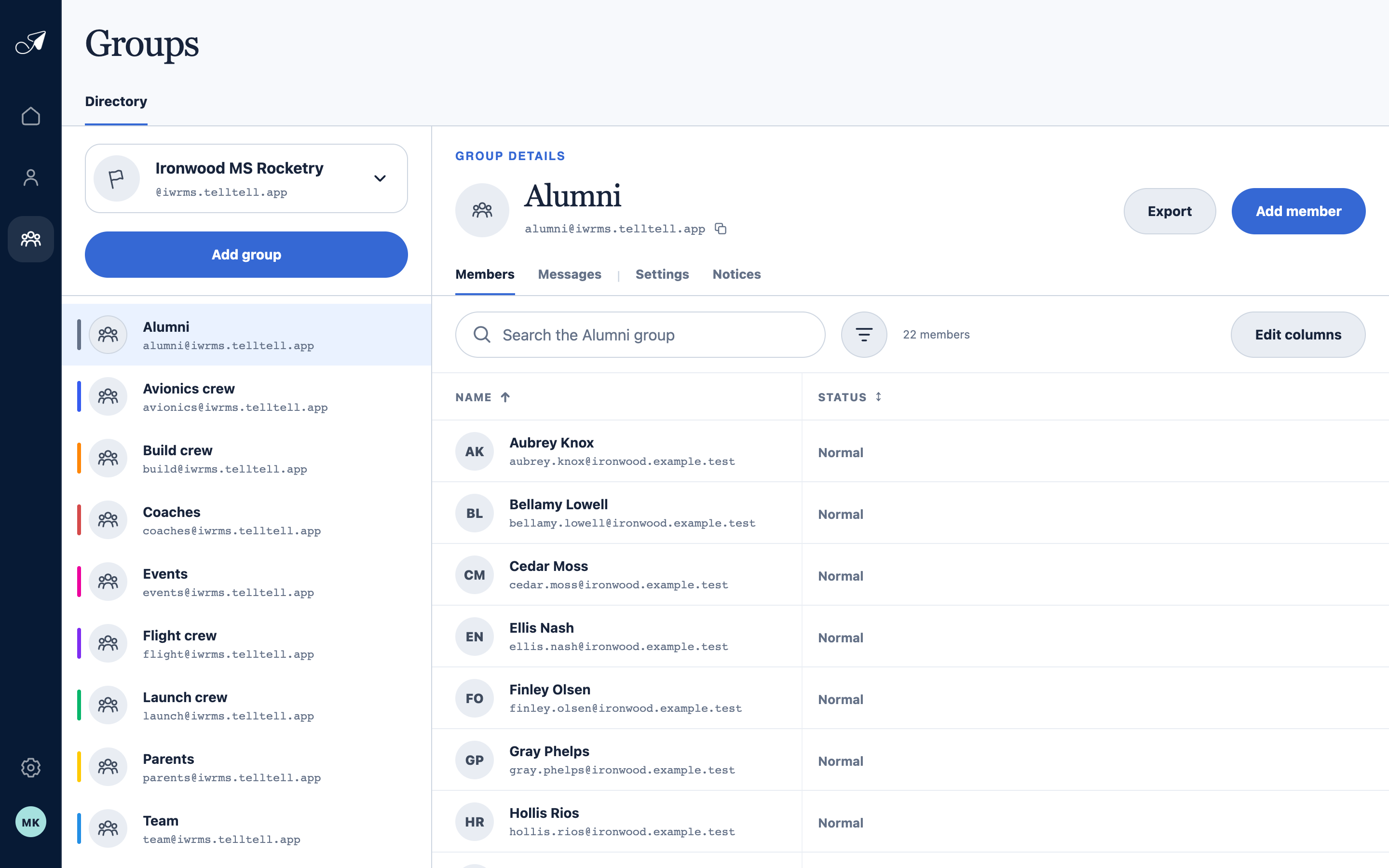
A group message reaches delivery-eligible email addresses attached to people on the group's effective member list.
- 1Selected team
- 2Group name and address
- 3Members tab
- 4People in the group
Recognize a TellTell group message
- The visible From identifies the TellTell group; the sender name is shown as the original sender via that group.
- The required footer names the team and group address and includes an unsubscribe link for the receiving address.
- List headers identify the managed group and support compatible mail-client unsubscribe controls.
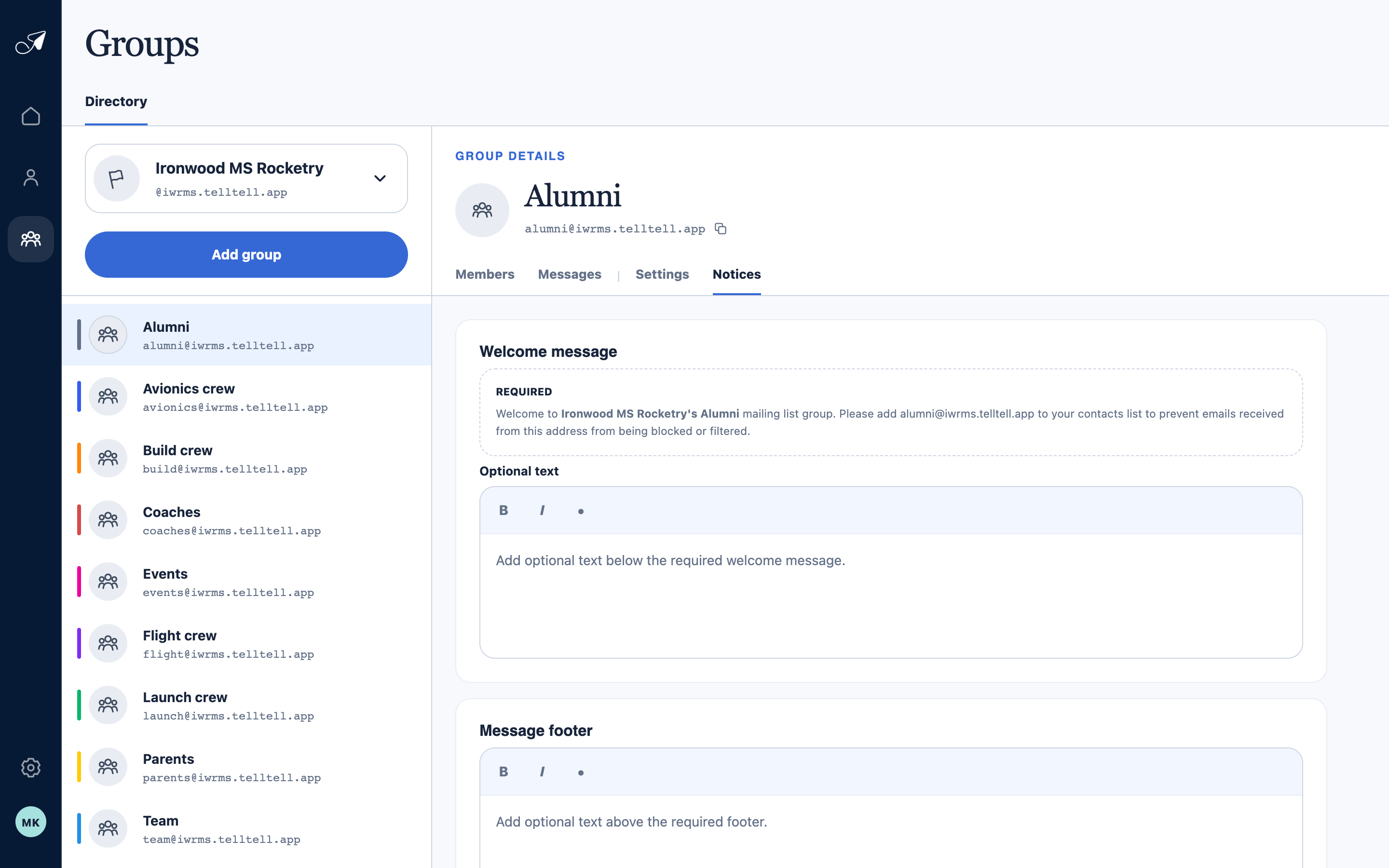
Organizers can add optional text; TellTell adds the required group identity and recipient unsubscribe link separately.
- 1Notices tab
- 2Required welcome message
- 3Optional welcome text
- 4Optional message footer
Why you may receive more than one copy
One person may have multiple active email addresses, and a group membership applies to all delivery-eligible addresses attached to that person. Tell the organizer which address should remain active if duplicate copies are not useful.