
Imports, exports, and fields · 6 min read
Prepare a CSV for TellTell
Shape a safe one-row-per-person roster and stay within TellTell's preview limits.
Give each person one row
- Start with a CSV
Export or save the roster as a comma-separated values file. Only account Admins can import people.
- Use one header row
Name columns clearly. Include Name or Full Name, at least one email column, and any group or custom-field columns you need.
- Use one row per person
Put the person's additional addresses, groups, and fields on the same row. Do not split one person across overlapping rows.
- Normalize obvious differences
Remove accidental spaces, check email spelling, and use consistent group and select-option names before uploading.
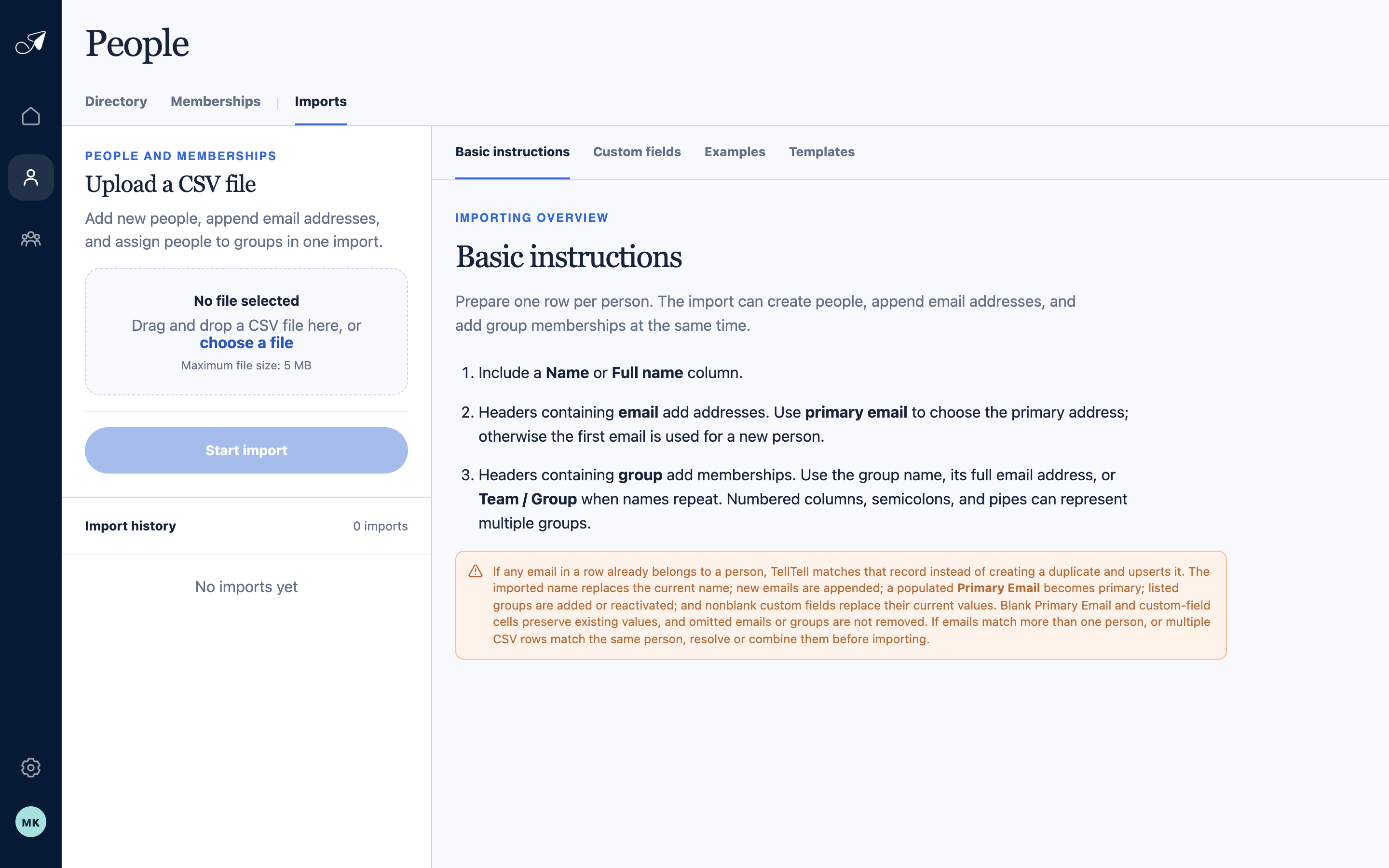
The Imports workspace keeps preparation guidance, upload, preview, and prior results in one place.
- 1Imports tab
- 2Preparation instructions
- 3CSV upload
- 4Import history
Stay within the preview limits
- File size: 5 MiB or less.
- Rows: no more than 10,000 data rows.
- Columns: no more than 256.
- Total cells: no more than 100,000.
- Single field value: no more than 32 KiB.
Know what an import will not remove
An import adds or updates the values supplied in valid rows. It does not remove an existing email or group merely because that value is absent from the CSV, and a blank mapped custom-field cell preserves the current value.