
People and memberships · 4 min read
People, email addresses, and memberships explained
Understand how one person can have several addresses and belong to many groups.
The three parts
TellTell separates a person’s identity from their email addresses and group memberships. This keeps one clean directory even when someone uses several addresses or belongs to many groups.
- Person
One record in the account-wide People directory. It holds the person’s name, email addresses, tags, custom fields, and relationships.
- Email address
A deliverable address attached to the person. One is marked Primary for display and identity purposes, but every eligible attached address can receive group mail.
- Membership
A connection between the person and one group. The membership applies to every delivery-eligible address on that person; subscription status is still tracked separately for each address in that group.
One directory for every team
Open People to see the central directory. Teams and groups reuse these records instead of making a separate copy of the same person for each roster.
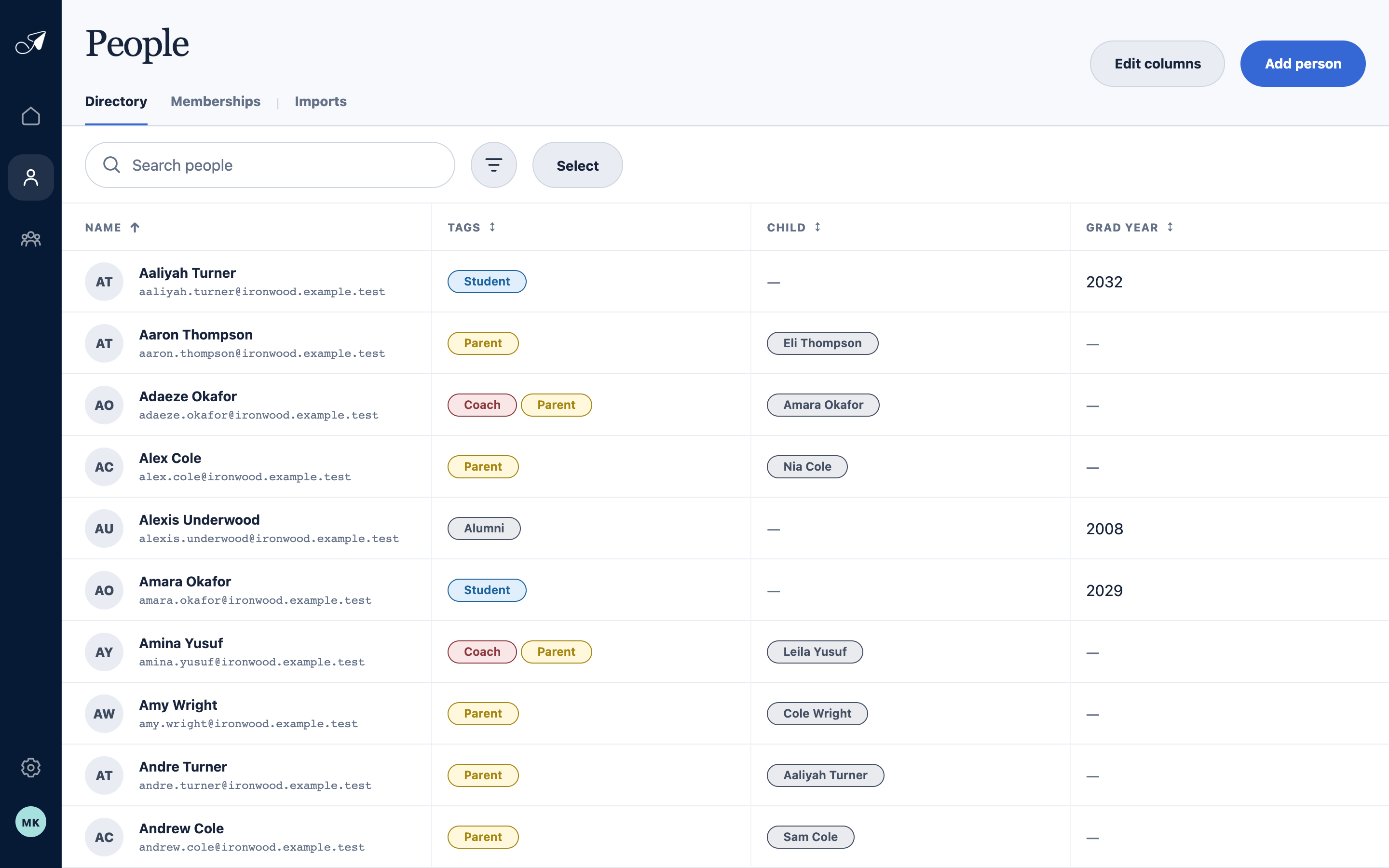
The shared directory keeps identity fields in one place while group membership is managed separately.
- 1Directory and Memberships views
- 2One person and primary address
- 3Reusable tags
- 4Custom fields and relationships
A practical example
Maya can be one person with a personal address and a work address. If Maya belongs to Coaches and Parents, TellTell stores two memberships, not four. Each subscribed, deliverable address receives messages for those groups, with duplicate normalized addresses removed before delivery.