
Teams and groups · 4 min read
Teams and groups: What is the difference?
Understand the administrative boundary, shared domain, group address, and People directory.
The difference in one minute
- A team is an administrative boundary
A team contains related groups, owns their shared TellTell domain, and defines which Managers can work with them.
- A group is an email destination
A group belongs to one team, has one memorable address, and controls its own members, sender permissions, reply behavior, and notices.
- People remain account-wide
Every team and group uses the same People directory. Adding someone to groups in two teams does not create two people.
A practical example
Ironwood MS Rocketry can be one team with a managed domain such as @iwrms.telltell.app. Groups such as Alumni, Coaches, Parents, and Build crew each choose the part before that shared domain.
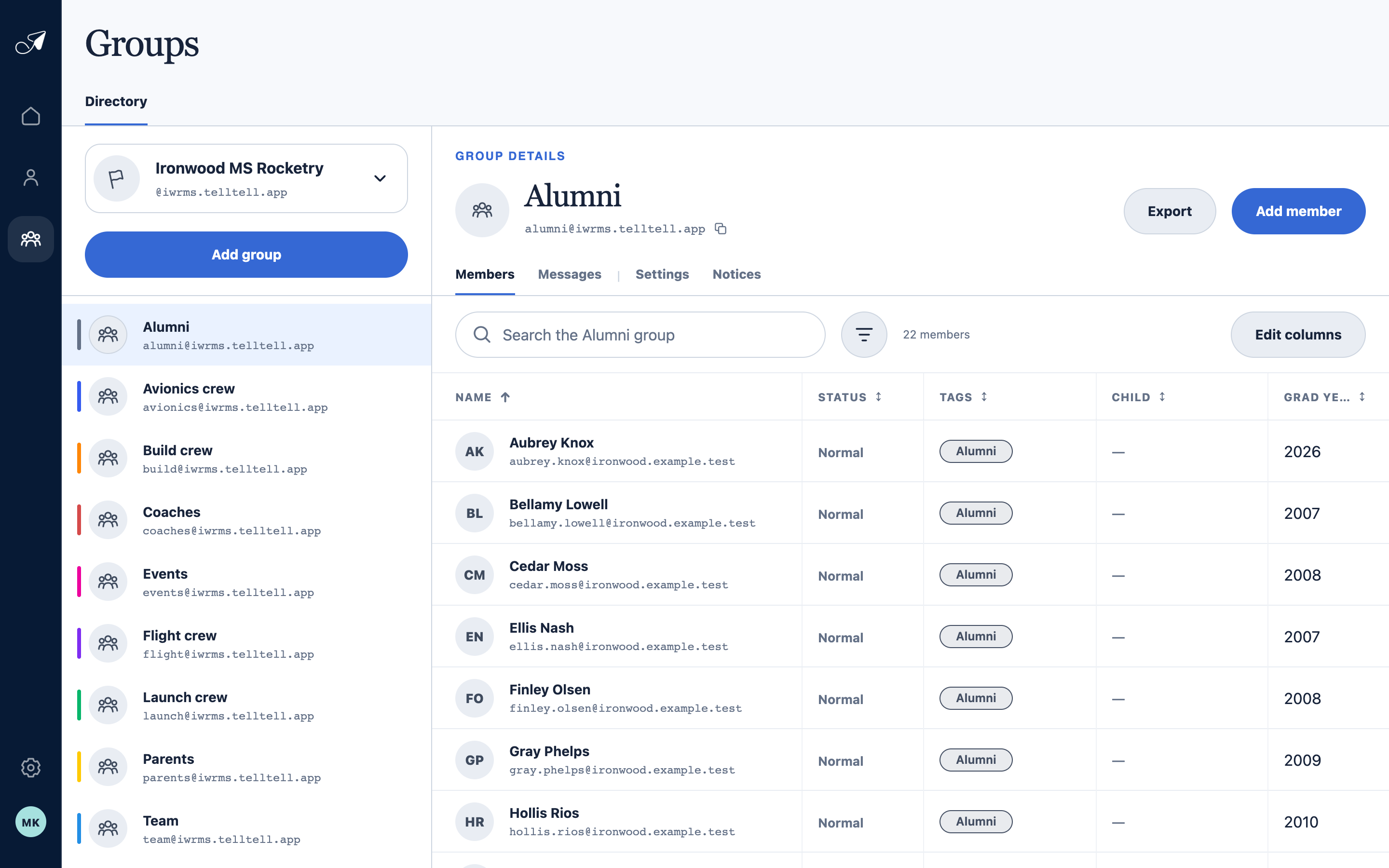
The selected team supplies the domain while each group supplies its own name, address prefix, and roster.
- 1Selected team and shared domain
- 2Groups inside this team
- 3Selected group and address
- 4This group’s member roster
When to create another team
- Create another team when its groups need a different shared email domain.
- Create another team when Managers should have a separate scope of access.
- Keep groups in one team when they share both the domain and the same administrative boundary.