
Account access and billing · 5 min read
Sign in, sign out, and manage your profile
Use your verified login, open the user menu, update your name and time zone, and sign out safely.
Sign in and sign out
- Choose your sign-in provider
Use the same Google, Microsoft, or Facebook identity connected to your TellTell invitation or account. TellTell does not receive your provider password, and matching emails do not link different providers.
- Open the user menu
Select your avatar at the bottom of the app navigation to confirm the signed-in email and account.
- Sign out when finished
Choose Sign out in the same menu, especially on a shared device.
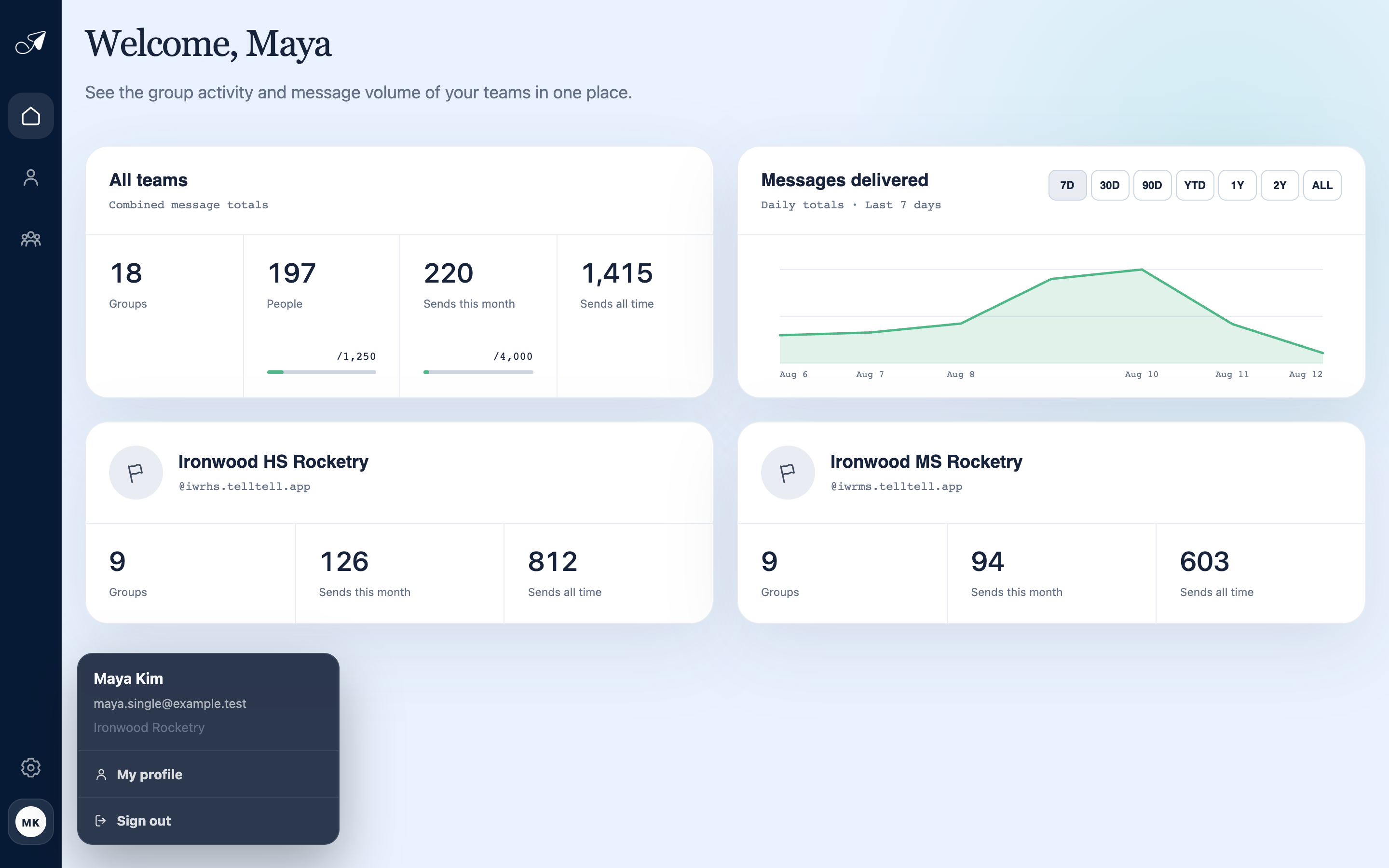
Open the avatar menu for your profile and sign-out controls.
- 1Signed-in avatar
- 2Current identity and account
- 3My profile
- 4Sign out
Manage your profile
Choose My profile to update the name TellTell displays and the time zone used for activity and deadline labels. Choose Save changes after editing.
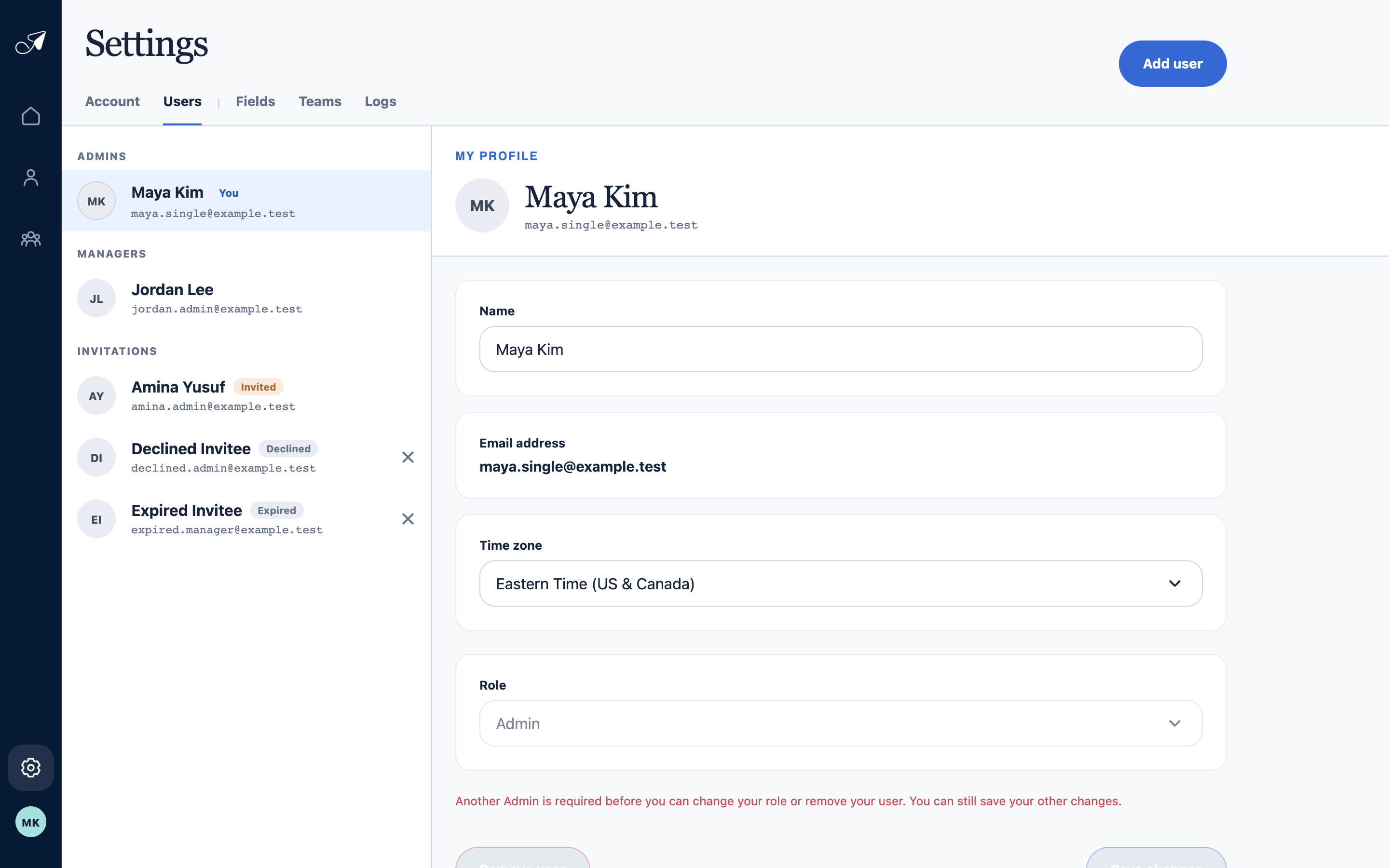
Your profile controls how TellTell identifies you and formats time-sensitive activity.
- 1Users settings
- 2Current signed-in user
- 3Name and login email
- 4Time zone and role