
For group members · 6 min read
What to do when group messages do not arrive
Check mailbox filtering, confirm the expected address, and ask the organizer to trace its TellTell outcome.
Check the mailbox first
- Search All Mail for the subject, original sender, group address, or TellTell.
- Check Spam, Junk, Promotions, quarantine, forwarding, inbox rules, and storage limits.
- Confirm which of your email addresses the organizer has on the group. A copy sent to another address will not appear in this inbox.
- Add the group address to contacts or an allow list when your provider supports it.
Ask the organizer to trace your address
- Provide the exact address
Give the organizer the email address where you expected the message, plus the subject and approximate time.
- Ask them to open message details
They can search your address and see whether TellTell selected it, skipped it, or received a provider event.
- Act on the result
An unsubscribe may need a re-invitation. A removed, disabled, or incorrect address needs a directory update. A bounce needs a corrected or alternate address.
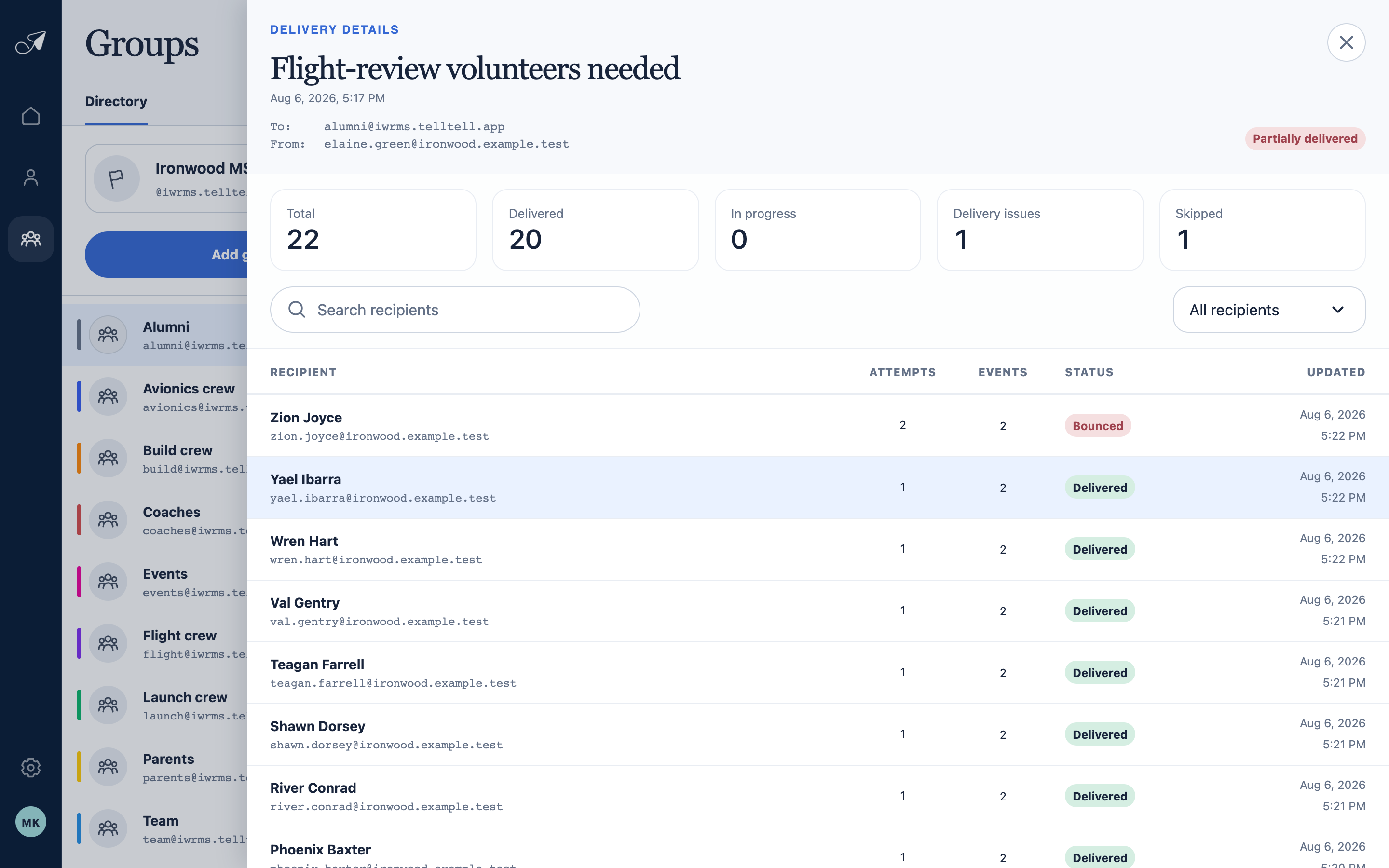
An organizer can search your exact address and read TellTell's selected, skipped, or provider-delivery result.
- 1Message and group
- 2Delivery totals
- 3Recipient search
- 4Address-level result