
Teams and groups · 5 min read
Choose where replies go
Route responses back through the group, to one address, or to a no-reply explanation.
Choose where replies go
- To the whole group sends a reply addressed to the group back through TellTell. The reply must pass the same sender policy as a new group message.
- To a specific email sets that address as Reply-To so responses go directly there without being distributed by TellTell.
- Replies are disabled uses a group-specific no-reply address. A reply receives an explanation instead of reaching the group.
Configure reply behavior
- Open the group’s Settings tab
Scroll to Where should replies go?
- Choose an option
Match the setting to the conversation: group discussion, a monitored coordinator inbox, or announcements with no replies.
- Set the specific address if needed
Enter a valid email, choose Set email, and verify it before saving the group settings.
- Save and test
Send a small message and inspect Reply-To in a recipient’s email client before using the group broadly.
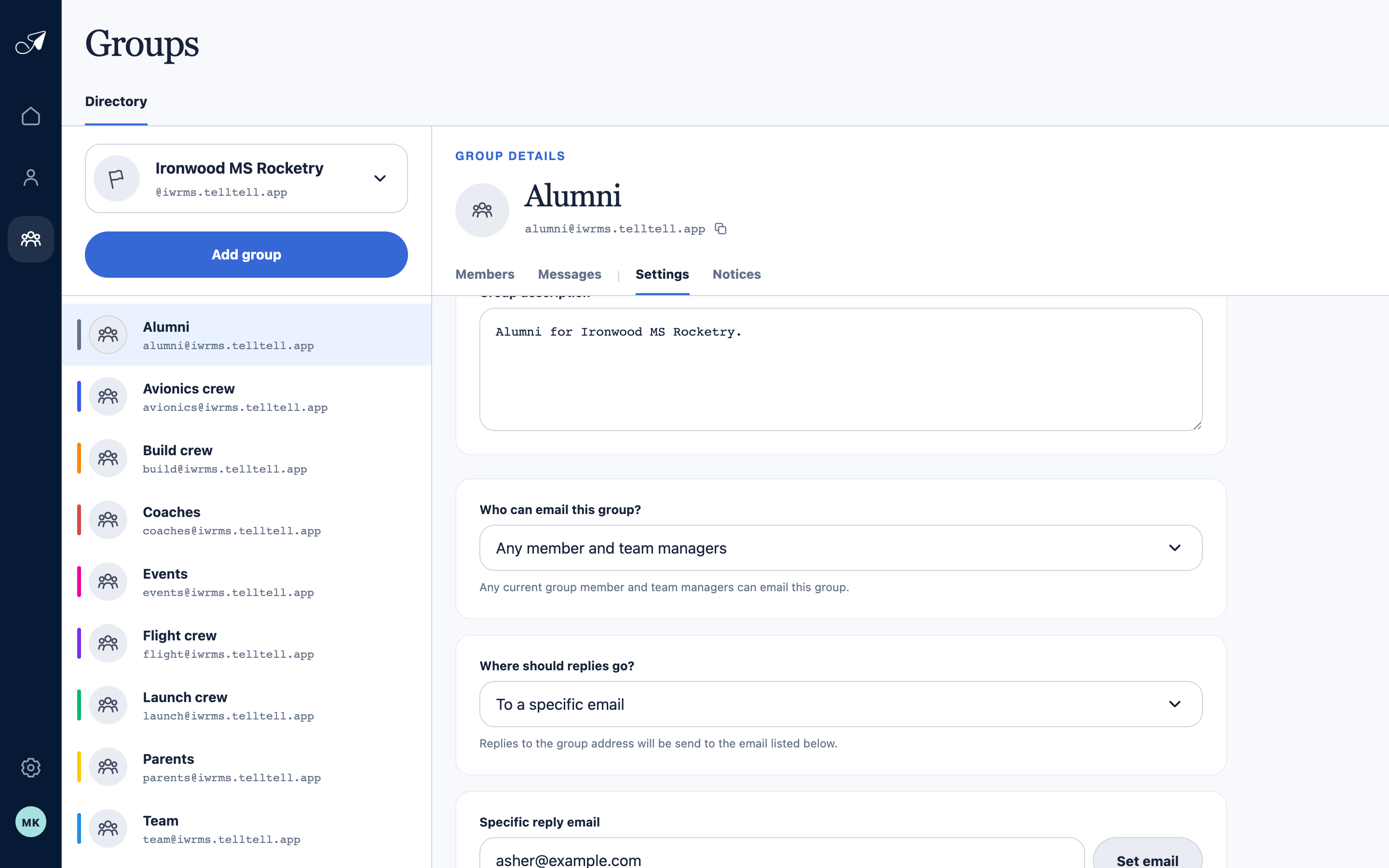
Specific-email mode keeps responses out of the group and routes them to one monitored inbox.
- 1Selected group
- 2Sender policy above reply behavior
- 3Reply destination mode
- 4Specific reply address