
Imports, exports, and fields · 6 min read
Export people and memberships
Request an Admin-only CSV, choose fields, and securely download current people or group membership data.
Request a People directory export
- Select people
As an account Admin, open People, choose Select, and select the directory rows to include. An export supports up to 10,000 people.
- Choose Export
Name and Primary Email are always included. Select the active custom fields the CSV should contain; fields with values are selected initially.
- Request the export
TellTell creates the file asynchronously. Current Admins are notified when it is ready.
- Download from Settings Log
Open the authenticated Settings Log entry and download the ready file before it expires after seven days.
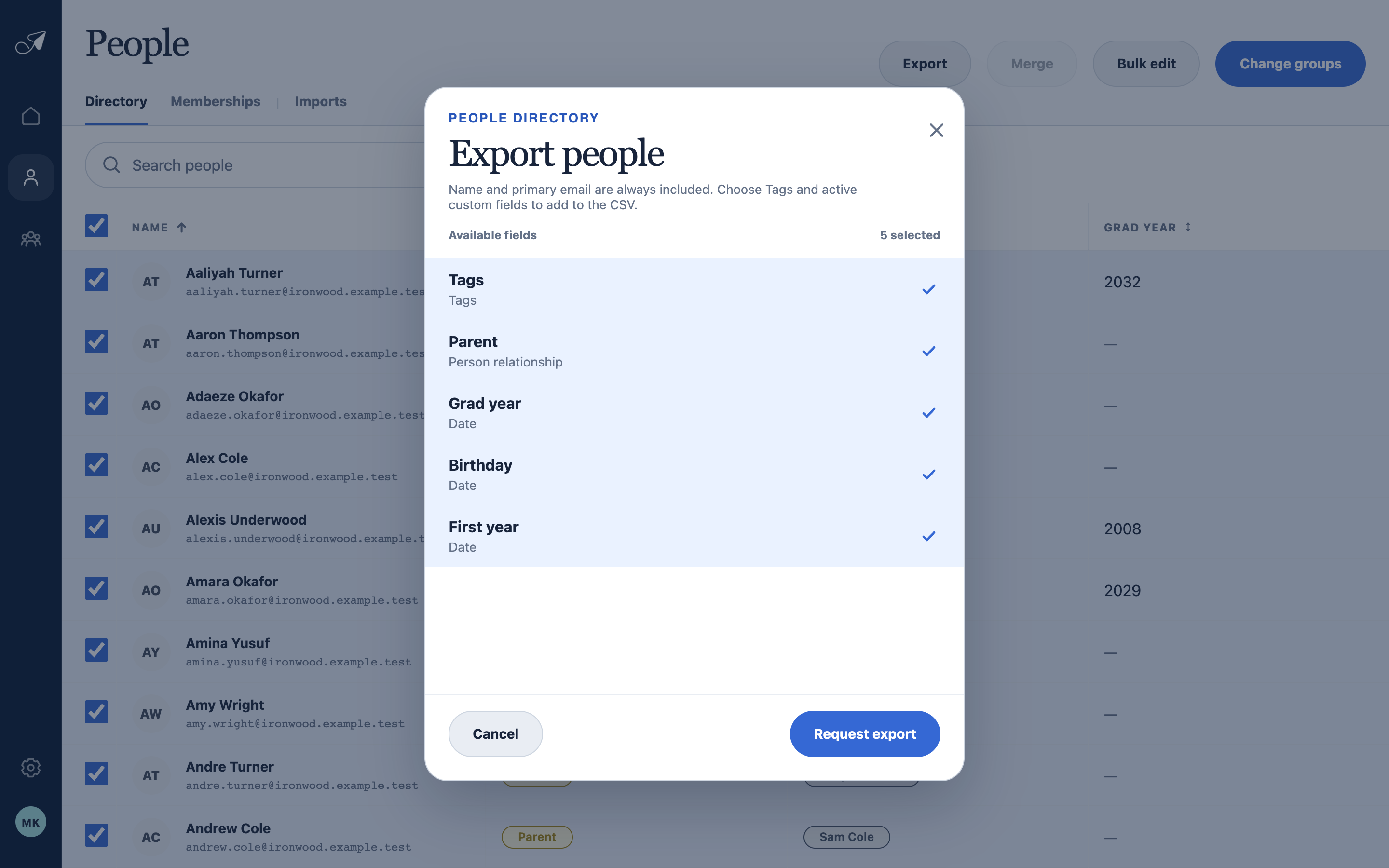
Directory exports begin with a selected set of people. Name and primary email are always included; choose the additional fields the CSV needs.
- 1Selected directory rows
- 2Always-included columns
- 3Optional active fields
- 4Request export
Export one group's memberships
Open Groups, select the group, and choose Export above the member list. The export request captures that group scope; TellTell resolves its effective membership while generating the file.
Understand the file and download security
- The CSV follows the TellTell import format, including one column per selected custom field and compatible JSON for structured values.
- Values are escaped to prevent spreadsheet formulas from running when the CSV is opened.
- Files are private. TellTell rechecks the signed-in Admin, account, ready state, and expiration at download time.
- The readiness email links to the authenticated Settings Log; it is not a bearer link to the member-data file.