
Sending and delivery · 4 min read
View message and recipient delivery details
Open one message, filter its recipients, and inspect address-level attempts and provider events.
Open message details
- Open Groups
Select the team and group that received the original message.
- Choose Messages
Find the subject and select it to open the details drawer.
- Read the summary
Compare Total, Delivered, In progress, Delivery issues, and Skipped before narrowing the list.
- Search or filter recipients
Search an email address or choose a status filter, then expand a row for its attempts and provider events.
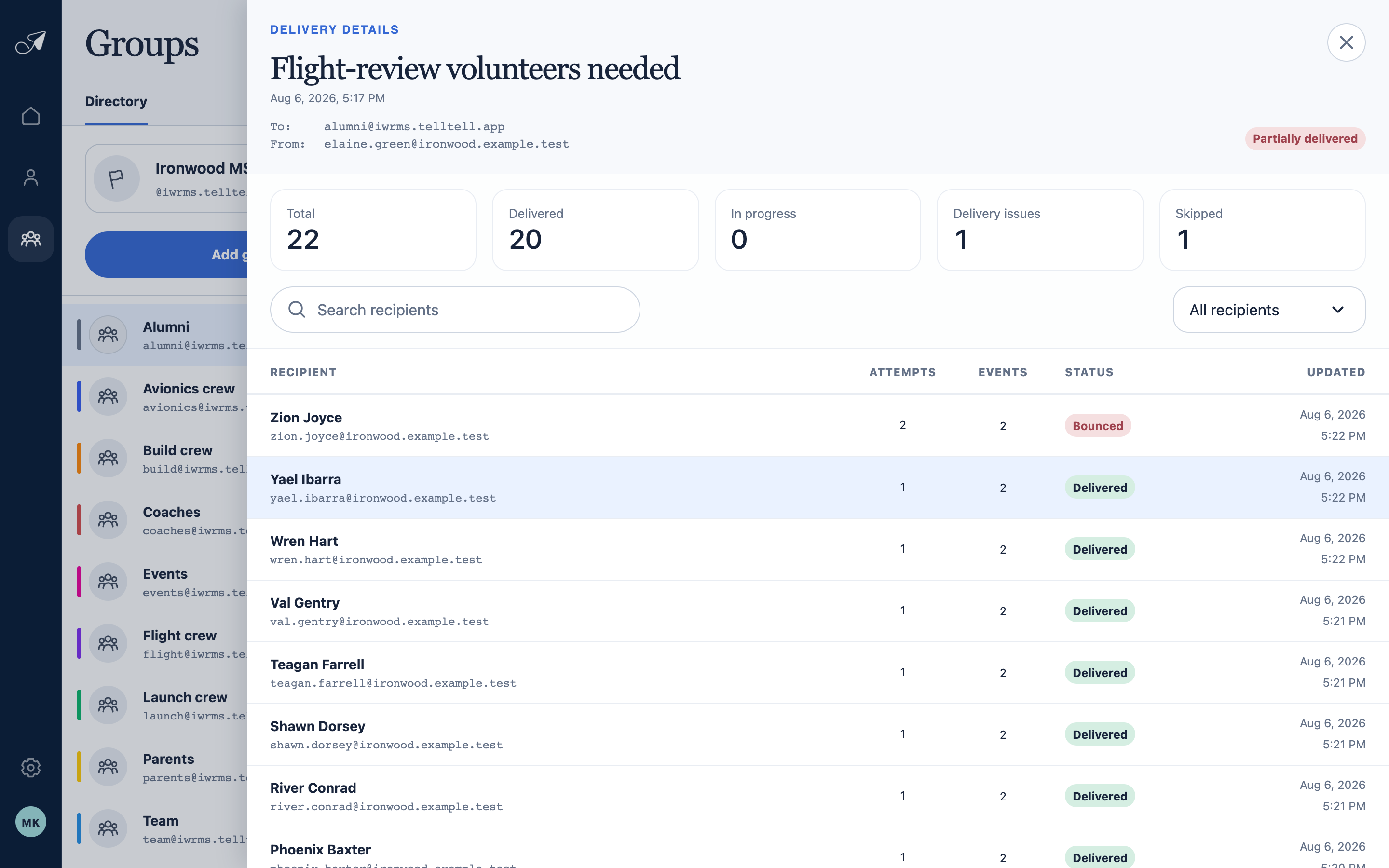
Open a message to separate the overall result from the outcome for each recipient address.
- 1Message, From, and To
- 2Delivery summary
- 3Recipient search and filters
- 4Address-level outcomes
What the detail can prove
- The To and From addresses show which group and sender TellTell evaluated.
- The recipient plan records which addresses were selected or skipped when the message was accepted.
- Attempts and events show TellTell's provider handoff and any later delivery, delay, bounce, complaint, or rejection signal.