
Teams and groups · 6 min read
Create and manage a team and its TellTell address
Create a team, choose its shared TellTell domain, and understand address changes.
Create a team
- Open Settings
Choose Teams, then choose Add a new team.
- Name the team
Use the program or administrative unit that organizers will recognize.
- Choose the TellTell subdomain
Enter the short value that should appear after every group’s @ sign. TellTell checks that it is available before saving.
- Create the team
The team becomes available in Groups and when assigning access to Managers.
Edit the team name or domain
In Settings, choose Teams and select the team. Update its name or TellTell subdomain, then choose Save changes.
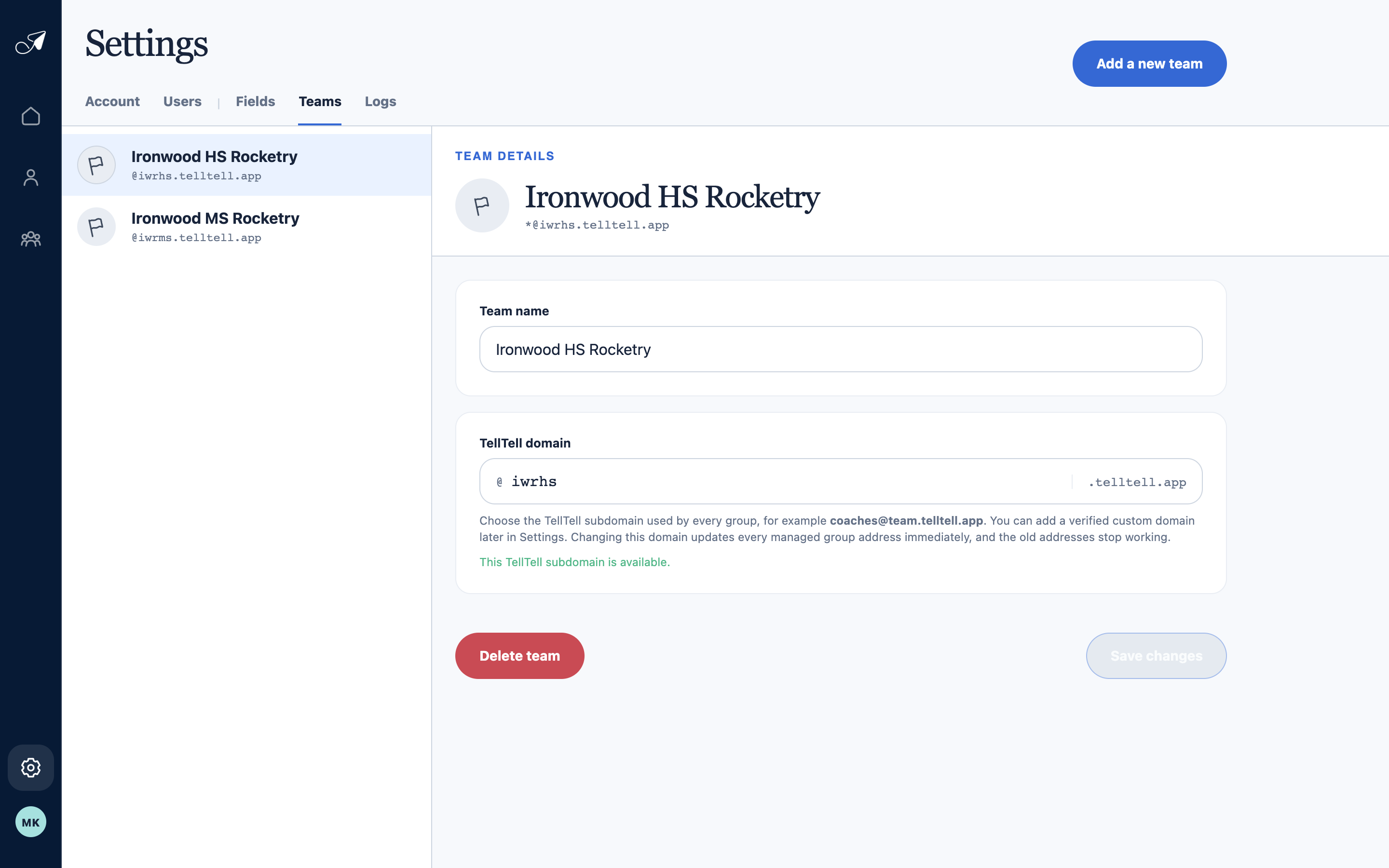
Team settings control the identity and managed domain shared by every group in that team.
- 1Teams in this account
- 2Editable team name
- 3Managed TellTell subdomain
- 4Create another team
Delete a team
Deleting a team also retires its groups and managed addresses, removes active memberships in those groups, suspends its domains, and removes Manager assignments to it. Review every group before confirming.