
People and memberships · 5 min read
Manage multiple email addresses, custom fields, and tags
Keep a person’s addresses and structured roster information together without duplicates.
Manage email addresses
Open a person from the directory. Under General, an Admin can edit existing addresses, choose the Primary address, remove a secondary address, or choose Add email address.
- Primary identifies the address displayed throughout the directory and retained as primary during a merge.
- Every active eligible address receives mail for the person’s group memberships, not only the Primary address.
- Each address must be unique within the account so one delivery address cannot belong to two active people.
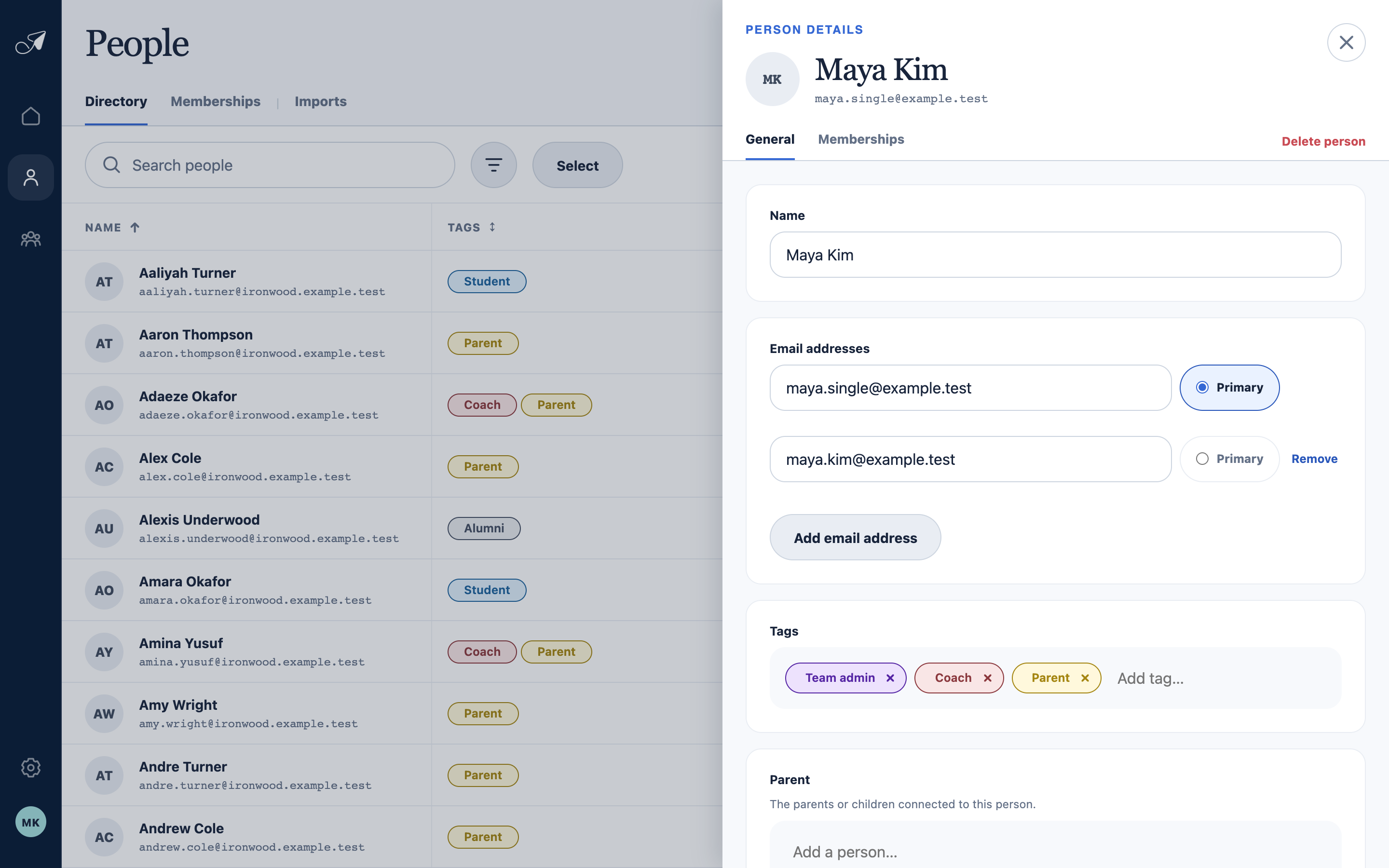
One person can hold several deliverable addresses and the directory fields your account needs.
- 1Editable name
- 2All attached email addresses
- 3Primary address selection
- 4Tags and custom fields
Choose the right place for information
- Use an additional email address when the same person should receive group mail in more than one inbox.
- Use a tag for reusable categories that may overlap.
- Use a custom field for structured roster facts you want to display, filter, import, export, or bulk-edit.
- Use a membership only to say that a person belongs to a specific group.