
Sending and delivery · 6 min read
Troubleshoot a message that did not arrive
Trace one recipient from group membership through TellTell's provider evidence and the destination mailbox.
Checks for an organizer
- Find the message
Open the group's Messages tab. If it is not there, verify that it was sent to the current group address and was not rejected by the sender's provider.
- Search the recipient address
Open the message details and search the exact address the person expected to receive mail at.
- Read the address-level result
A skip explains an eligibility problem. A bounce or complaint needs address-level attention. At provider, Delayed, and Delivered need different follow-up.
- Verify the person and membership
Confirm that the email address is active and that the person has an effective membership in the group.
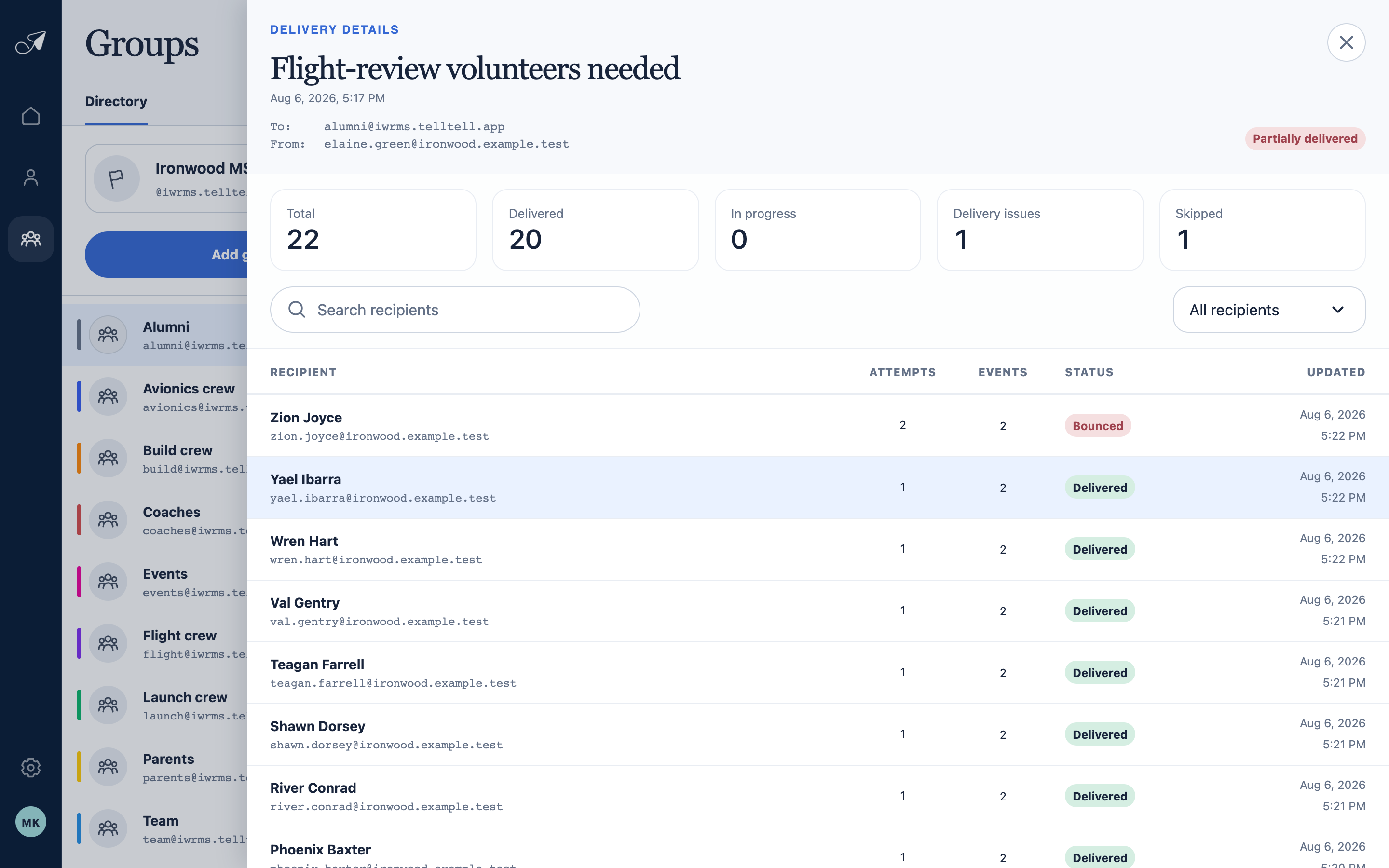
Open a message to separate the overall result from the outcome for each recipient address.
- 1Message, From, and To
- 2Delivery summary
- 3Recipient search and filters
- 4Address-level outcomes
Checks for the recipient
- Search All Mail, Spam, Junk, Promotions, and quarantine for the subject or group address.
- Check inbox rules, forwarding, storage limits, and organization-wide filtering.
- Add the group address to contacts or an allow list when the mail provider supports it.
- If TellTell shows Delivered but the message is still missing, give the recipient's mail administrator the time, From address, group address, and provider event shown in TellTell.